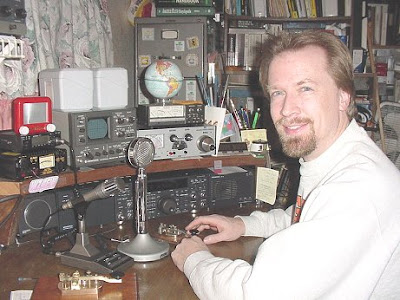
Club 465

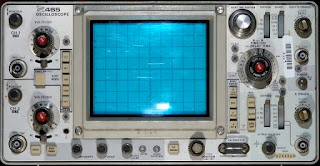
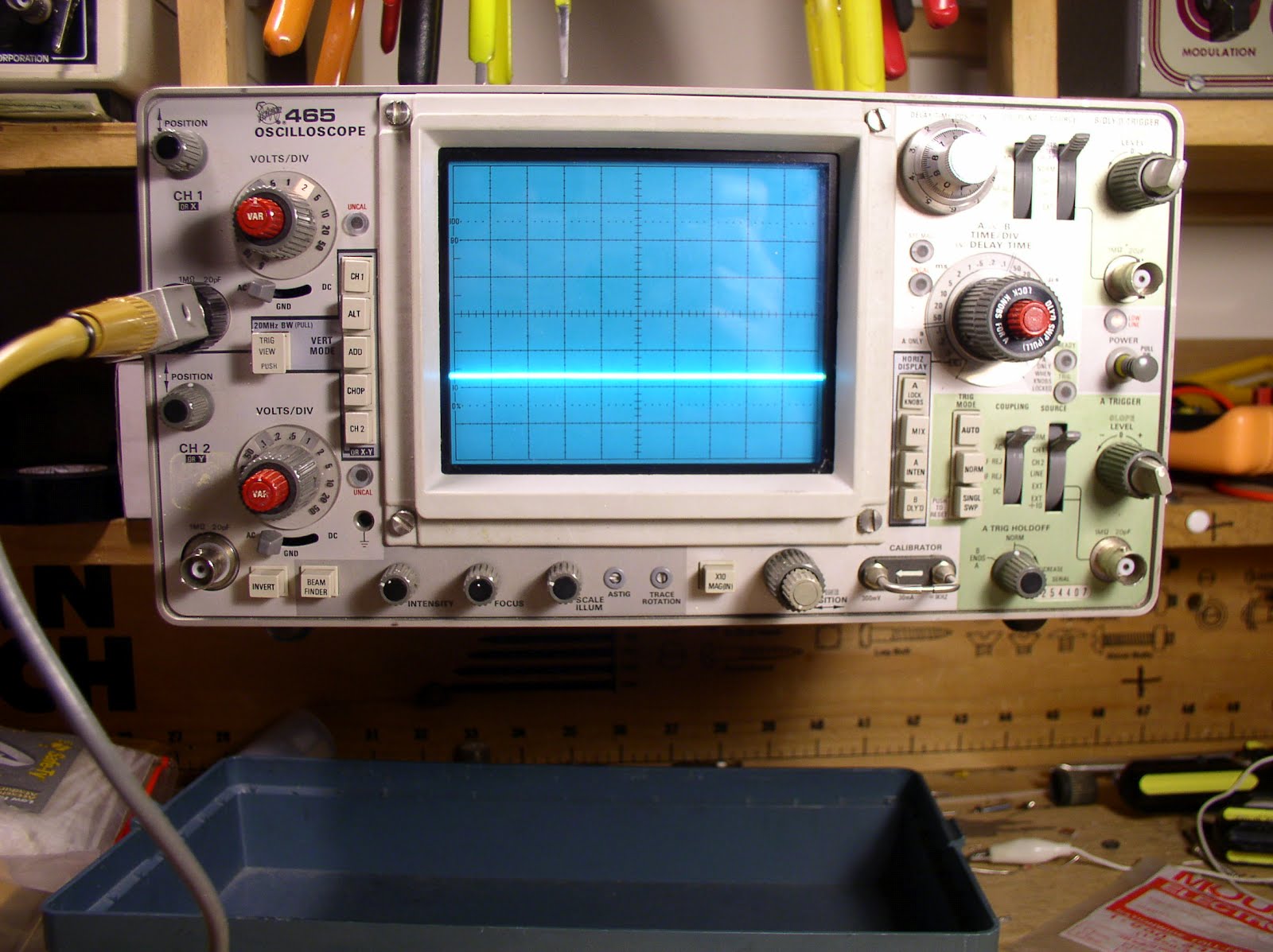
I mentioned on the podcast that a generous friend sent me a Tektronix 465 scope. It now seems like every day I’m discovering new and interesting things about this magnificent piece of gear. I’ve also discovered that there a LOT of guys out there who are loyal and enthusiastic users of Tek 465s. George Heron, N2APB, and Joe Everhart, N2CX, have been putting out an excellent podcast called “Chat with the Deigners.” They recently talked about oscilloscopes with our friend Alan Wolke, W2AEW: http://www.njqrp.org/teamspeak/Apr10.html
George mentioned that he has a 465. Our friend Farhan, VU2ESE, is using one. Who else is in Club 465? Send us your names!


Preston. WJ2V, up in the Big Apple sent me a very interesting message about a feature of the ‘scope that I was unaware of. Thanks Preston!

Bill,


I am caught up and just listened to number 142. The podcasts continue to be new and interesting each issue. I too have a 465 workhorse in the shack. I have one suggestion that will turn it into an even more valuable instrument. Note that you have an amplified output in the back with the vertical signal presented at a BNC connector. This is made for connection to a frequency counter. In fact, some of the military versions of this scope came with a frequency counter. If you have a counter in the shack, just connect it to the vertical output in back of the scope. This will faithfully report the frequency of any wave you see on the screen. Since the signal is amplified, the counter will be able to read small signals in receiver stages, while you view them on the scope. Amazingly helpful in setting up and troubleshooting receivers. I leave a dedicated counter connected to the 465 all the time, as it enhances the usefulness of the scope many times. I also am lucky enough to have an early Steve Weber (“Melt Solder”) SASA II device available for connection to the scope whenever needed. This is a 100 MHz spectrum analyzer adapter, with a built-in calibrator. It gives a great view of the output of transmitters. But, of course, you can see the quality of a clean sine wave with just the scope. The SASA II will just help you to see where in the spectrum the junk is coming from. Sadly, I don’t think Steve made more than about a hundred of these terrific kits. Also, it did not have provision for a tracking generator, which would have made it an ideal instrument for designing and checking IF filters. Steve and I talked about this, and he said he might revisit this someday.

As to seeing your QRP (or even higher) signals on the scope, of course you would not connect a transmitter to the input of the scope–that would burn it out in short order. But a proper bypass/attenuator connected to a proper 50 ohm pass-through termination at the input to the scope would give the ability to see why your SWR meter is showing an abnormally high SWR with your homebrew transmitter that’s generating spurious stuff. There is a very practical article for building the two pieces you need on simple PC board “cabinets” (more like half-cabinets) in the wonderful Drew Diamond books, I think in volume II. These simple devices will give you the ability to see what you’re doing with your transmitters, using the scope–

72,

WJ2V

Our book: “SolderSmoke — Global Adventures in Wireless Electronics” http://soldersmoke.com/book.htm Our coffee mugs, T-Shirts, bumper stickers: http://www.cafepress.com/SolderSmoke Our Book Store: http://astore.amazon.com/contracross-20

Alan Wolke on “Chat with Designers” Tonight!

From the fellows at NJQRP:

This week’s session of Chat With The Designers is tomorrow evening(Tuesday), starting at 8pm Eastern (0000z) on Teamspeak. We are in for a real treat this week, as Alan Wolke, W2AEW, a field applications engineer for Tektronix, will be leading the discussion on atopic he is very familiar with … “Oscilloscope Basics. ” If you watch an electrical engineer tackling a tough design project, or a service engineer troubleshooting a stubborn problem, you¹ll see them grab a scope, fit probes or cables, and start turning knobs and setting switches without ever seeming to glance at the front panel. To these experienced users, the oscilloscope is their most important tool but their minds are focused on solving the problem, not on using the scope. We have a Notes page set up with a terrific presentation that we¹ll betalking to in this session, so be sure you have your browser set to thisduring the discussion as well … http://www.njqrp.org/teamspeak/Apr10.html

If you¹ve not joined us for past topics, you¹ll find that we have some funin this 1-hour online meeting talking about various technical topics thatare likely of interest to homebrewers and experimenters here in our hamranks. It¹s open for everyone and all you have to do is have the Teamspeakdriver loaded onto your computer. (For guidance on this, see

http://www.njqrp.org/teamspeak/TeamspeakInstructions.html)Looking forward to seeing
(hearing) many of our 30-some regulars, and inviteothers who have not yet joined in on the fun!73, George N2APB& Joe N2CX& Alan Wolke W2AEW
Chat With The Designers …http://www.njqrp.org/teamspeak/TeamspeakChat.html

(See this page too for past sessions and MP3 podcasts of the audio portionof each week.)PS: If you happen to follow us in our audio podcasts each week, the lastsession on ³Soldering 101² is loaded and available at:http://www.njqrp.org/teamspeak/Mar20.html
—————————————–
Our book: “SolderSmoke — Global Adventures in Wireless Electronics”http://soldersmoke.com/book.htmOur coffee mugs, T-Shirts, bumper stickers: http://www.cafepress.com/SolderSmokeOur Book Store: http://astore.amazon.com/contracross-20
EE Web Featured Engineer: Alan Wolke, W2AEW

I really liked this interview with our friend Alan. You can see definite signs of an early case of The Knack here: I was especially impressed by the fact that he made one of his first antennas from wire salvaged from the deflection coil on an old TV. (I took the easy path and chopped up my dad’s extension cords!)

I also liked Alan’s response to the question about his favorite software tool: “Gee, solder is soft, can we consider that software? I use a lot of that!” This is very reminiscent of a quote from the legendary Bob Pease (colleague of Jim Williams): “My favorite programming language is solder.” (That quote was sent to me by Steve WA0PWK. Thanks Steve.)

Lots of good troubleshooting wisdom in this interview, and Alan’s enthusiasm for electronics clearly shines through:
http://www.eeweb.com/spotlight/interview-with-alan-wolke

If you’re also interested in the field of electronic repairs, visit www.guidetocareereducation.com for a list of schools offering electronics and engineering training programs.

Also, be sure to check out Alan’s YouTube videos, especially those on how to use an oscilloscope:
http://www.youtube.com/user/w2aew


Our book: “SolderSmoke — Global Adventures in Wireless Electronics”http://soldersmoke.com/book.htmOur coffee mugs, T-Shirts, bumper stickers: http://www.cafepress.com/SolderSmokeOur Book Store: http://astore.amazon.com/contracross-20
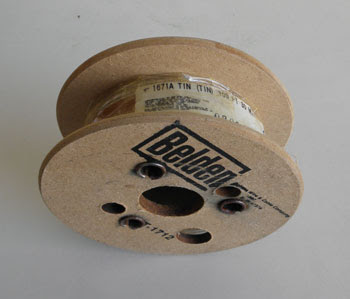
Murphy’s Whiskers: SHAVED (with Belden 1671A!)


Brad, AA1IP, has come to the rescue and is offering Belden 1671A at prices SIGNIFICANTLY below cocaine levels. Thanks Brad!

Hello–
In response to Bill’s plea on SolderSmoke #142 for an inexpensive source of Belden 1671A semi-rigid coaxial cable, I can offer it for sale at $.30 per foot in lengths up to 10 feet to 20 feet; handling longer lengths is problematical, as I don’t have a good wire-respooling method at present. Postage and packaging for up to 10 feet of 1671A cable is extra and costs $3.25 for shipping via first-class mail to U.S. addresses (I honor PayPal and certain other payment methods). Note that coaxial connectors for 1671A are available (but not from me, alas). Also, the outer jacket of 1671A is best cut with a fine-toothed coping saw or a miniature tubing cutter such as… http://www.amazon.com/Pit-Bull-Mini-Tubing-Cutter/dp/B0027BBHW0

Questions welcomed as always. 73– Brad AA1IP

P.S.: the “Murphy’s Whiskers” Bill refers to are small pieces of copper braid wire that break off from RG-174/U (or other) coax braid and cause intermittent short-circuits in whatever they fall into.

Our book: “SolderSmoke — Global Adventures in Wireless Electronics”http://soldersmoke.com/book.htmOur coffee mugs, T-Shirts, bumper stickers: http://www.cafepress.com/SolderSmokeOur Book Store: http://astore.amazon.com/contracross-20
New Oscilloscope!

That, my friends, is a genuine dual-trace, 100 MHz Tektronix oscilloscope. Wow, a new day has dawned on the N2CQR workbench! The ‘scope comes to me as a result of the generosity of friend who, like the guy in the old “Millionaire” TV show, prefers to remain anonymous. He claims this is an equipment trade, but the terms were so one-sided (in my favor), that this was really a gift.

As you can see below, the ‘scope fits perfectly in the center position on the shelf above the bench. I’ve already put it to work — here you see it looking at the output from the VFO of the kick panel rig.

Our book: “SolderSmoke — Global Adventures in Wireless Electronics”http://soldersmoke.com/book.htmOur coffee mugs, T-Shirts, bumper stickers: http://www.cafepress.com/SolderSmokeOur Book Store: http://astore.amazon.com/contracross-20
Words of Wisdom from Farhan

I read the mail of the BITX20 group. Here is some good advice from Farhan:

I have often seen builders finishing an entire build, then powering it
up to face the frustration of a dead circuit. I suspect that the
trouble is with our kit building mind set. As a kit builder, we assume
that if it has worked well for a few hundred others, there is no
reason for it to not work for us. But the truth is more sobering …
Of the hundred odd components, any of them could get swapped by
another, or a bad solder, wrong polarity, etc. can all conspire to
thwart your attempts. The bitx manuals are really some of the best
produced in the recent years and yet, even with leonard’s videos,
troubleshooting kits is a challenge.
I am proposing a more elaborate, slower but surer approach to building the bitx.

It is as follows: build it one stage at a time, use one stage to test
the next. For instance, one could start with the bfo first. Just a
single transistor with the crystal. Then use an RF probe to check the
rf output. If there is no output, then sort that out before proceeding
to the next stage. With the addition of the buffer amp, the output
should go up. Then one could proceed to the audio amp. Injecting audio
from your mp3 player or computer could check that it works. Next,
replace the audio source with the mic amp, this tests the mic amp.
Now, if you add the two diode modulator, you should be able to receive
the dsb at 10 MHz on your HF transceiver.

This approach tests each stage individually and in isolation before
proceeding to the next. It also provides wholesome education to the
builder. In software industry, it is called a ‘test driven
development’ method of developing software.

In the end, this approach is no slower than the current approach,
except that surprises are not kept for the last.

I am sure that some of us can come out with a sequence of stages to
build where each stage is tested using the previous stage.

As much as bitx is about building it cheap, it is also about learning
your radio from inside. Bitx is also education on the cheap, don’t
give up that opportunity.

– farhan VU2ESE

Our book: “SolderSmoke — Global Adventures in Wireless Electronics”http://soldersmoke.com/book.htmOur coffee mugs, T-Shirts, bumper stickers: http://www.cafepress.com/SolderSmokeOur Book Store: http://astore.amazon.com/contracross-20
Kick Panel Rig: EXPOSED!

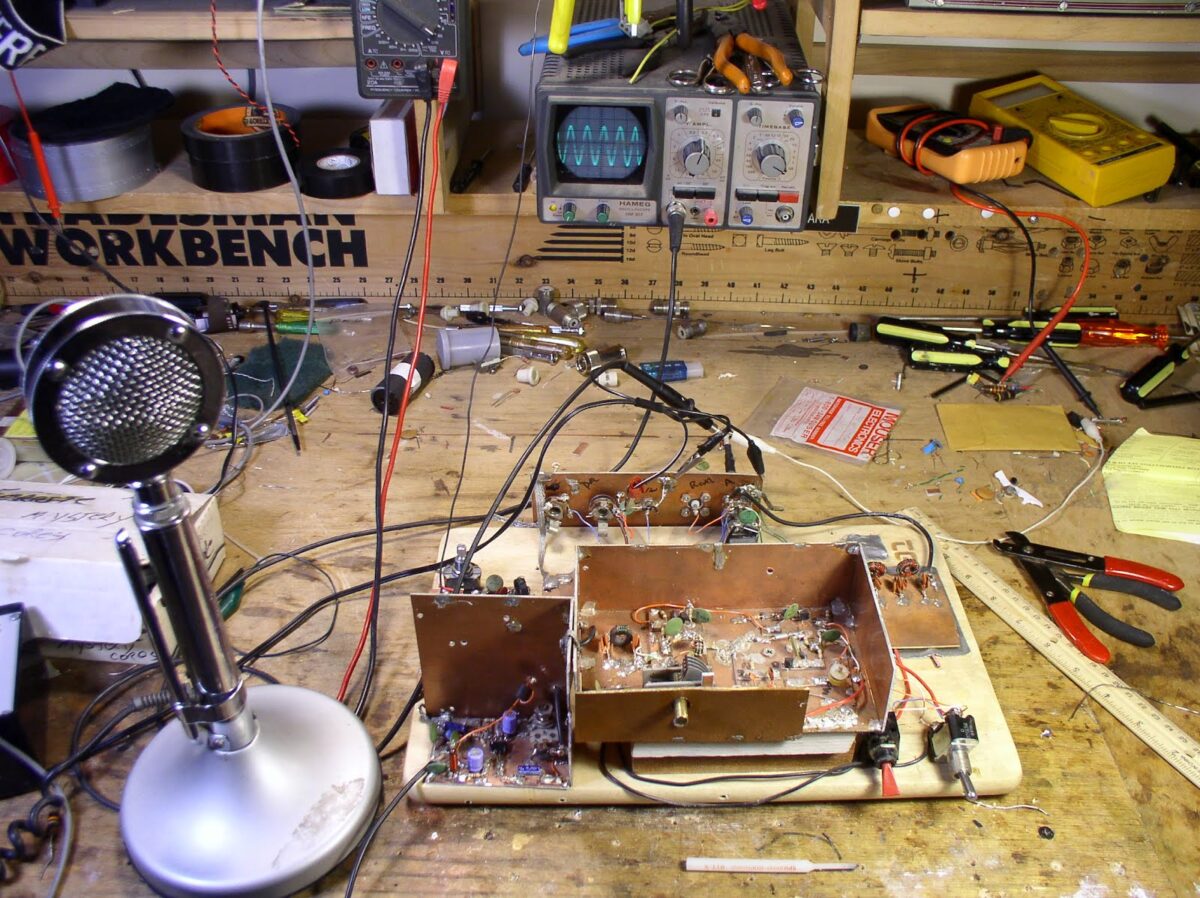
There it is, sans kick panel. You can see the breadboard (a real one!) on which it is built. The box in the center has the oscillator circuitry (currently on 75 meters, but subject to change); the box is elevated a few inches by two pieces of wood — I do this so that the frequency control will be a comfortable distance from the table! HB-ergonomics! The AF (mic) amp is in the lower left (just a 741 op amp). You can see the adjustment pot of the balanced modulator behind the mic amp. The low pass filter of the PA is visible on the right (rest easy Steve Smith!). The switch on the right is T/R. The red switch is “spot” (or in the UK “net”).

I thought I was having some trouble with RF getting into the mic amp. The audio out from the mic amp looks a bit distored when I have the oscillator and PA circuits fired up. I worked on it for a while, beefing up the decoupling on the 12 volt lines, but that didn’t change things. I’ve decided not to worry about it, because the output signal from the final looks clean, and the signal sounds good on my trusty Drake 2-B. It may have been a test gear problem — the ‘scope probe may have been picking up some RF and may have been uglying up the AF wave form.

Our book: “SolderSmoke — Global Adventures in Wireless Electronics”http://soldersmoke.com/book.htmOur coffee mugs, T-Shirts, bumper stickers: http://www.cafepress.com/SolderSmokeOur Book Store: http://astore.amazon.com/contracross-20
Some Audio Shielding

As I was aligning my “23/24 Re-cycle” 17 meter SSB rig, I noticed the tell-tale sounds of RF getting into my audio. (I guess I should be pleased — my amplifiers are now producing enough RF to cause some trouble!) So this morning I went in and battened down the hatches in the AF part of the rig. Lead lengths were reduced. Unshielded cables were replaced with RG-174 (with due attention to “Murphy’s Whiskers”). A ferrite bead was placed on the wire that carries voltage to the op-amp chip. I wrapped some foil (actually some of that conductive tape used to protect windows in alarm systems) around the plug on the D-104). And finally I cut out two pieces of PC board and made a shield for the whole AF section (see above). I think all this has had the desired effect. The audio sounds clean. I have the day off today, so if there are no Coronal Mass Ejections I hope to make some contacts on 17. Stay tuned!

Our book: “SolderSmoke — Global Adventures in Wireless Electronics”http://soldersmoke.com/book.htmOur coffee mugs, T-Shirts, bumper stickers: http://www.cafepress.com/SolderSmokeOur Book Store: http://astore.amazon.com/contracross-20
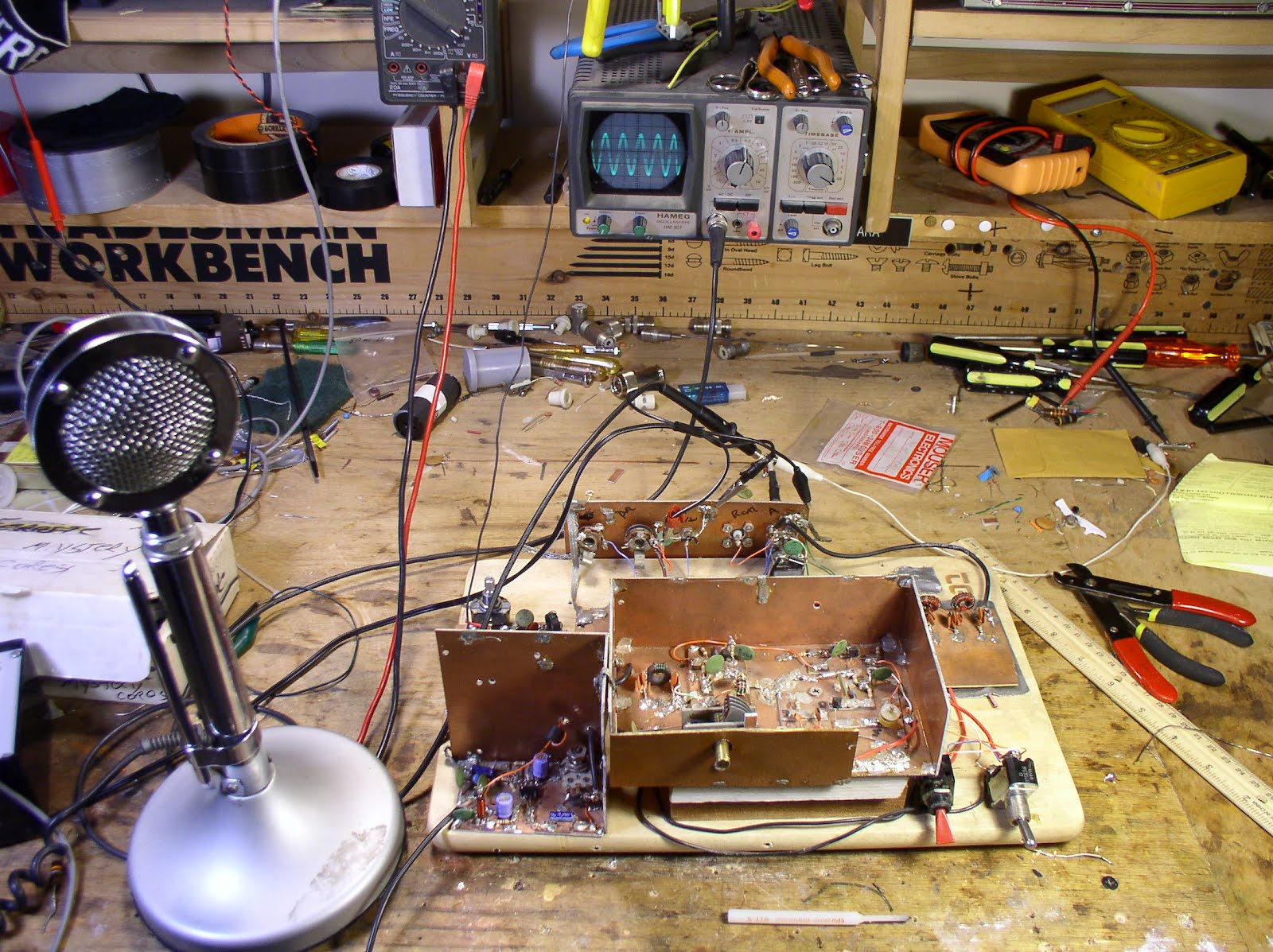
The “Snort Rosin” Test Gear Philosophy

Steve Smith, WB6TNL, and I often find ourselves on the same frequency:

Hi Bill,

After reading your latest blog post, I realized that you and I are somewhat kindred spirits. You successfully build and test relatively complex amateur radio equipment using the most basic and inexpensive test equipment.

As part of my business (land mobile radio) I own expensive and complex test equipment, however when I build and test homebrewed amateur radio gear I prefer to use inexpensive home-built or kit-built test equipment because that is what is generally available to most hams. My philosophy is that it is very important to impress upon beginning homebrewers the fact that fancy, complex test gear is not absolutely necessary to be successful in homebrewing.

Perfectly functional test gear can be built using only basic electronic tools. Certainly, homebrewed equipment might not have all the ‘bells and whistles’ of commercial gear and won’t do everything ‘automagically’ but with careful calibration and learning how interpret the results, homebrewed test equipment can provide very accurate measurements.

One good example is your Palomar R-X Noise Bridge. Most every ham wants a MFJ 259B or Autek VA-1 antenna analyser but an inexpensive bridge like the Palomar or a homebrewed equivalent can provide many of the same measurements. Sure, a ham-band or general-coverage receiver is required to use a noise bridge but, by using -very- simple circuits, a very competent test receiver can be built using the most basic test gear. Even with only a good SWR meter and a little math thrown in, +/- Xj (reactance) measurements can be made (See http://www.qsl.net/n8xpv/ for information regarding “the 3 meter method” ).

One of my favorite resources for simple test equipment is Monty Northrup’s (N5ESE} site: 73…….

Steve Smith WB6TNL “Snort Rosin”

From:

To:
“Steve Smith”


Great message Steve. Yea, I think the best troubleshooting tool is a real understanding of what is happening (or supposed to be happening) in the circuit and an ability to think logically about what could be causing the problem. Technical detective work.
And indeed, that SWR bridge can tell you a lot.
73 Bill

Our book: “SolderSmoke — Global Adventures in Wireless Electronics”http://soldersmoke.com/book.htmOur coffee mugs, T-Shirts, bumper stickers: http://www.cafepress.com/SolderSmokeOur Book Store: http://astore.amazon.com/contracross-20
Amplifier Woes — Help me! Help me!

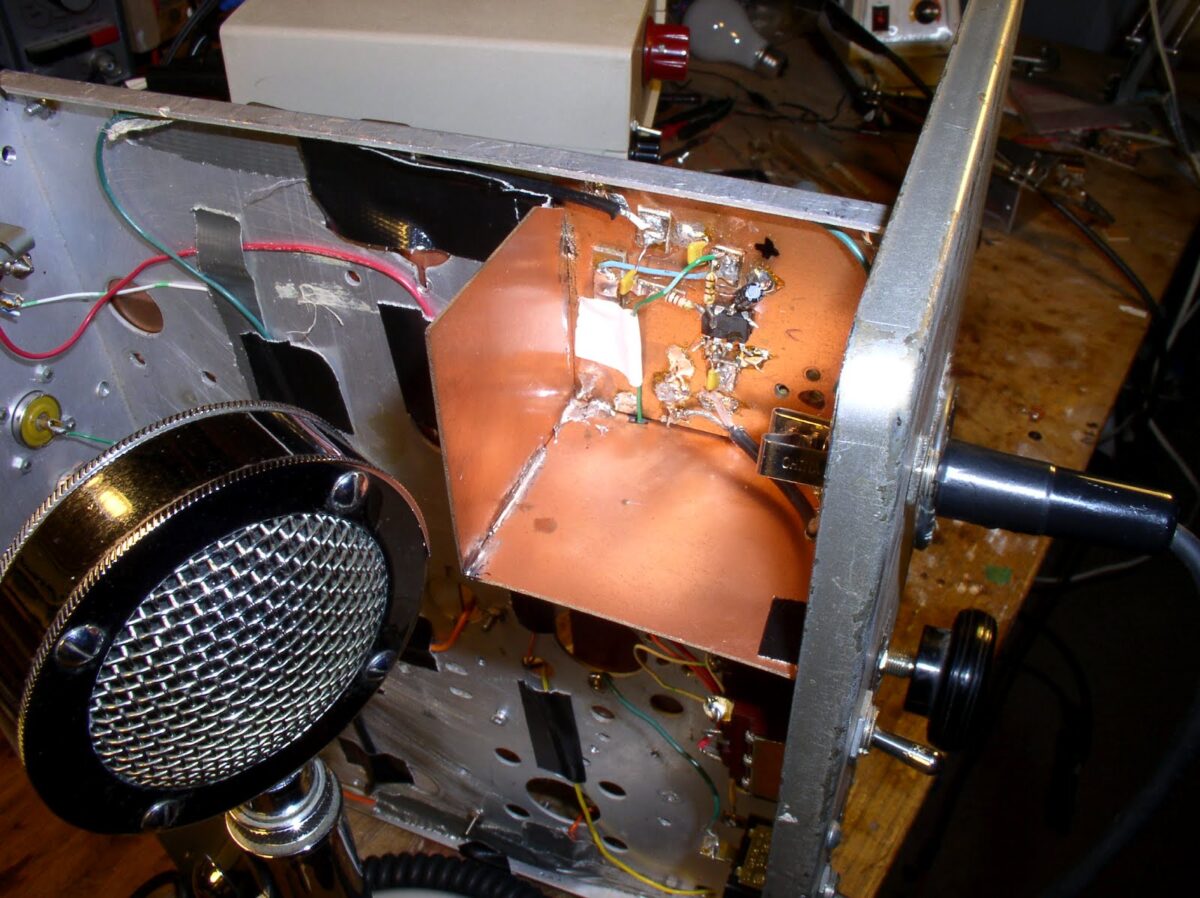
When I look in the mirror and I see a haunted, obsessed look in my eyes. My wife senses that there is something wrong in the ham shack. She is right. I have an amplifier that wants to be an oscillator. Help me exorcise these gremlins! Guys, this problem is holding up the production of the next SolderSmoke podcast.

My JBOT amp works fine into a dummy load, but when I connect it to an antenna, it gets unstable. Here are some more details of the symptoms:

I am running the JBOT with a 5 element (two toroids, 3 caps) low pass filter (designed by Doug DeMaw and approved by Steve Smith).

With the antenna connected, all is well UNTIL I raise the power out (by varying the input) beyond about 1 watt. Below one watt, the amp is working fine, and it stable. As soon as I hit the 1 watt point, the amplifier seems to break into oscillation. This does not happen into the dummy load.

The antenna is a simple dipole fed by coax. It shows a low SWR. Even when I put an antenna tuner between the amp and the antenna and bring the SWR down to negligible levels, the instability problem persists.

With the amp disconnected from all other circuitry other than the antenna and the power supply, if I just touch the input capacitor, it breaks into oscillation. This does not happen when the amp is working into the dummy load.

I’ve bolstered the power supply filtering and decoupling. No luck. I tried some de-Qing of the transformers. No luck.

Any suggestions?

Our book: “SolderSmoke — Global Adventures in Wireless Electronics”http://soldersmoke.com/book.htmOur coffee mugs, T-Shirts, bumper stickers: http://www.cafepress.com/SolderSmokeOur Book Store: http://astore.amazon.com/contracross-20
Azorean Oscillator Re-build

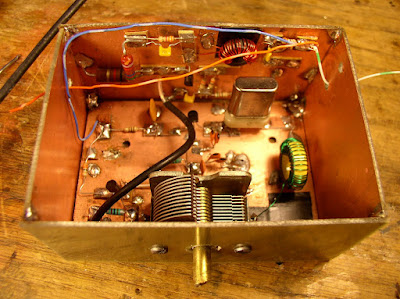
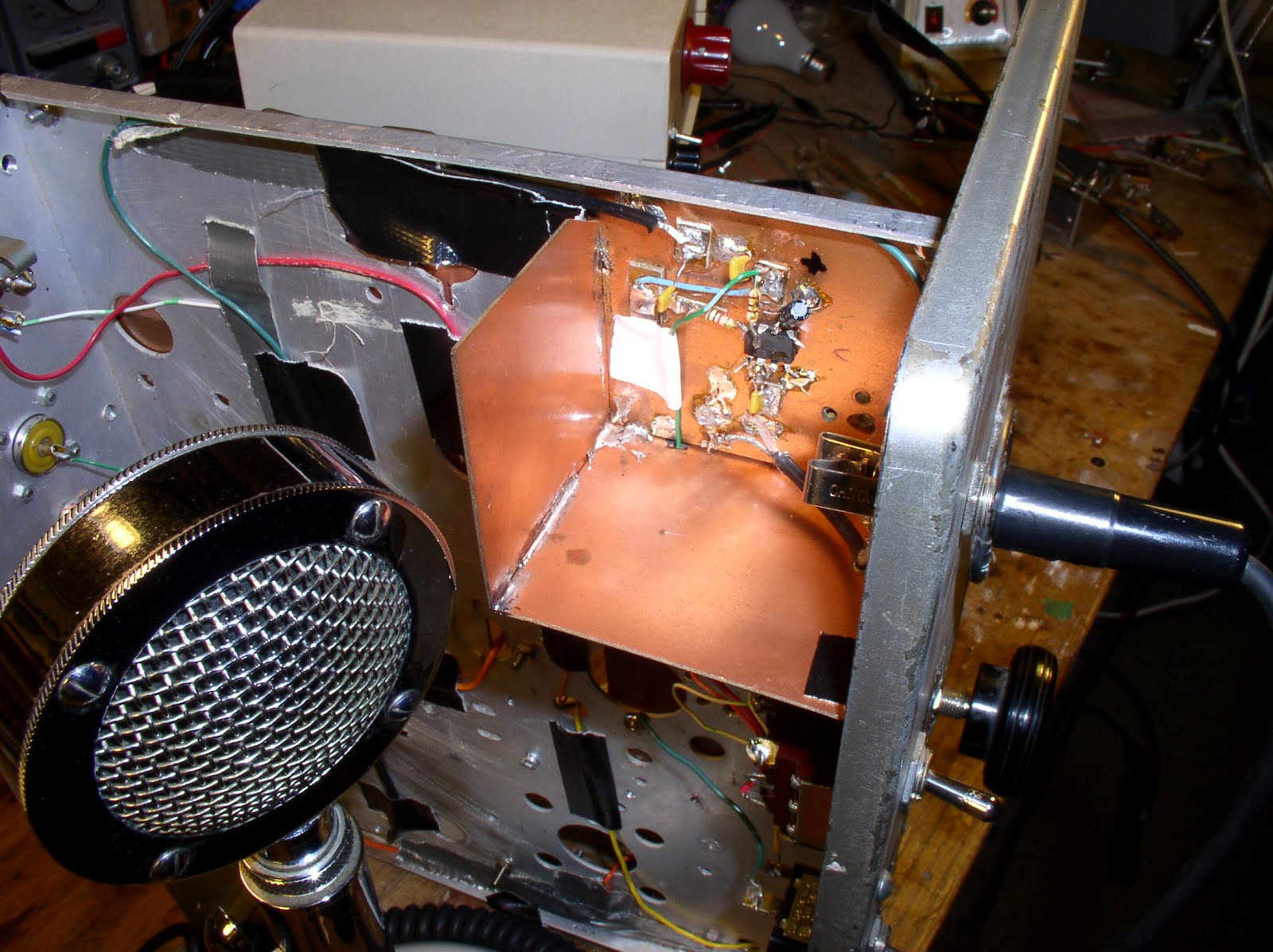
With my JBOT amp ready for installation, it was time to go back and check out the rest of the circuitry on my old Azorean DSB/Direct Conversion 17 meter “Magic Carpet” transceiver. I was surprised to find that the oscillator, well, wouldn’t oscillate. The MPF102 that I had in the main oscillator circuit was blown. I suspect voltage spikes from the T/R relay. I installed the required diode across the relay coil. (I seem to blow up a lot of MPF102s. Is it just me, or are these devices really fragile? They are junction FETs, not MOSFETS, so I thought of them as being more robust. But I seem to go through a lot of them.)

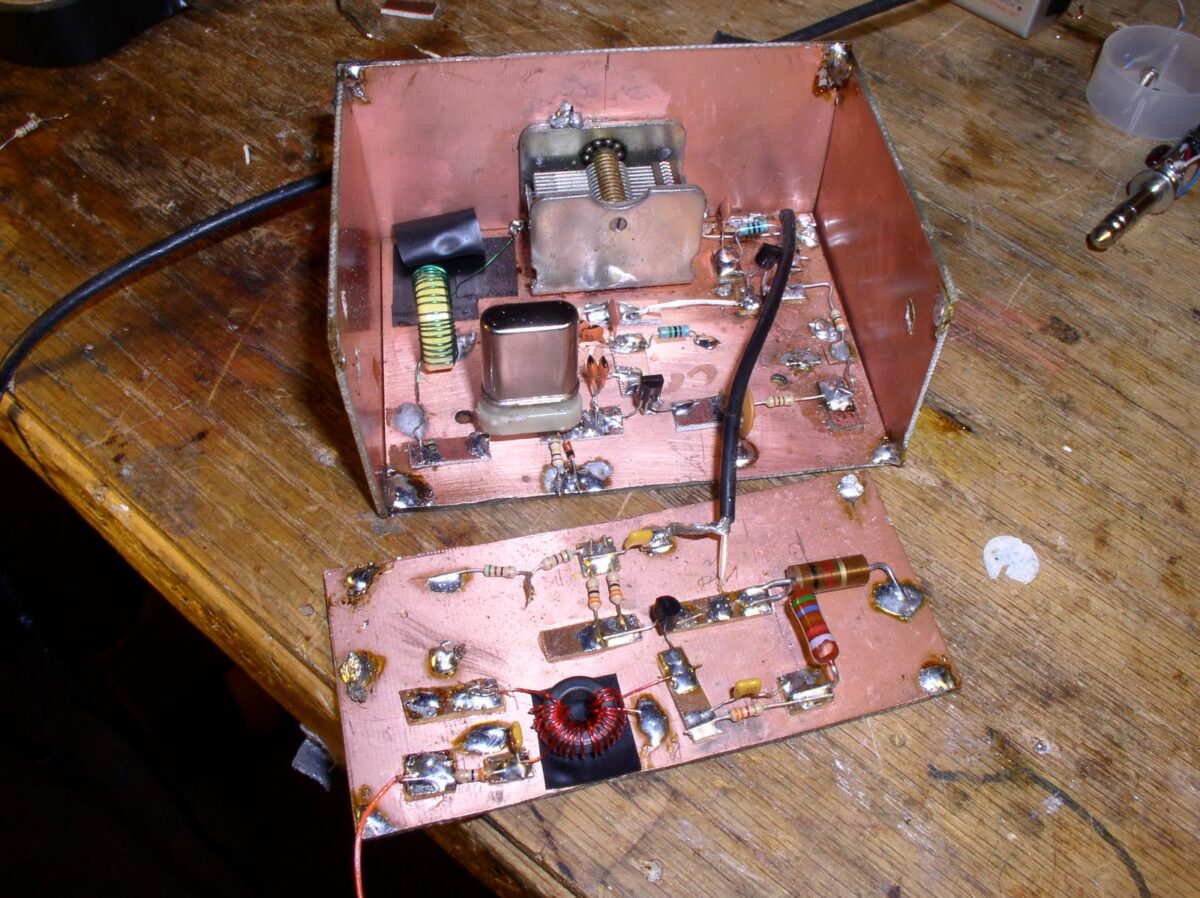
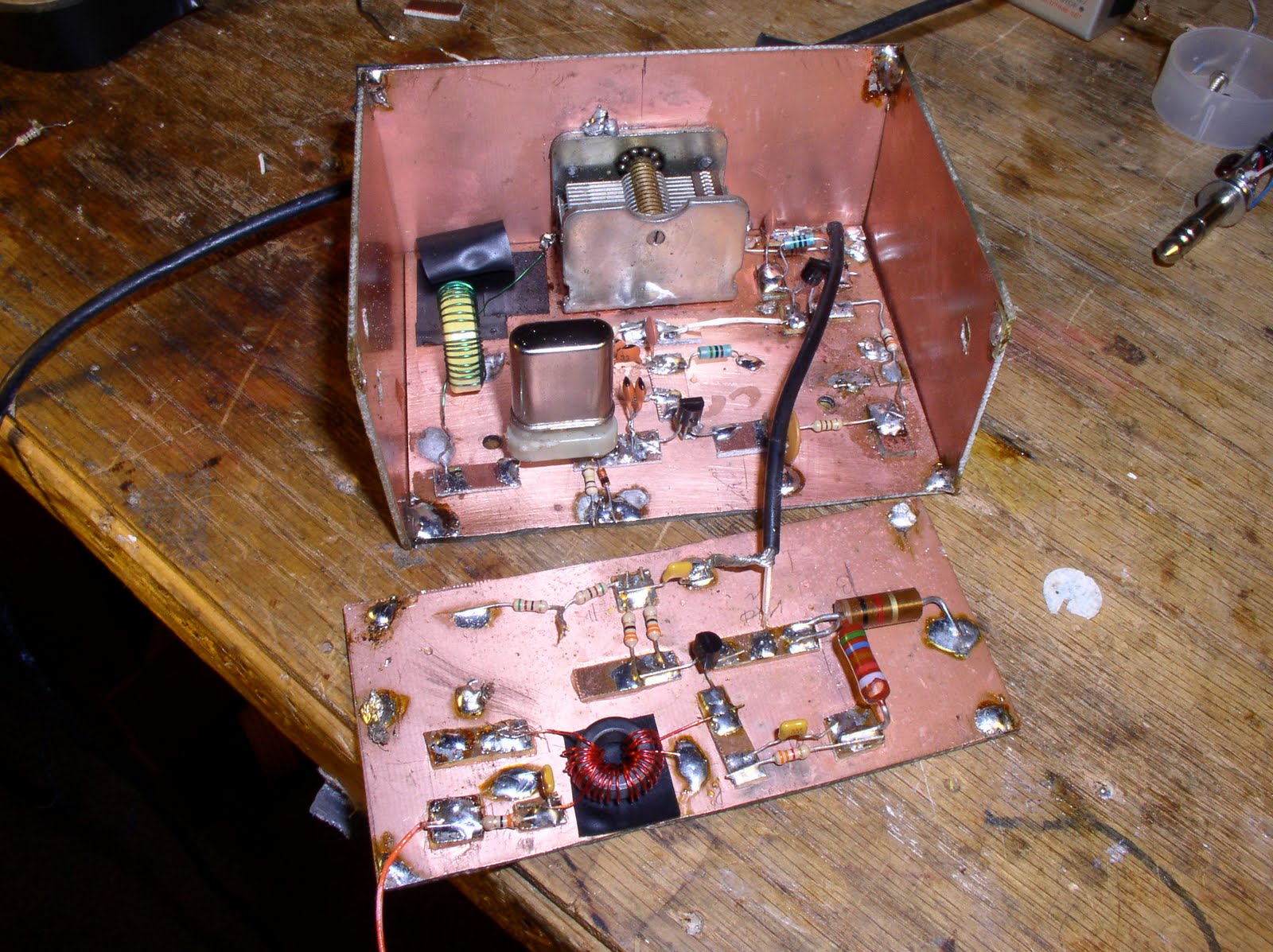
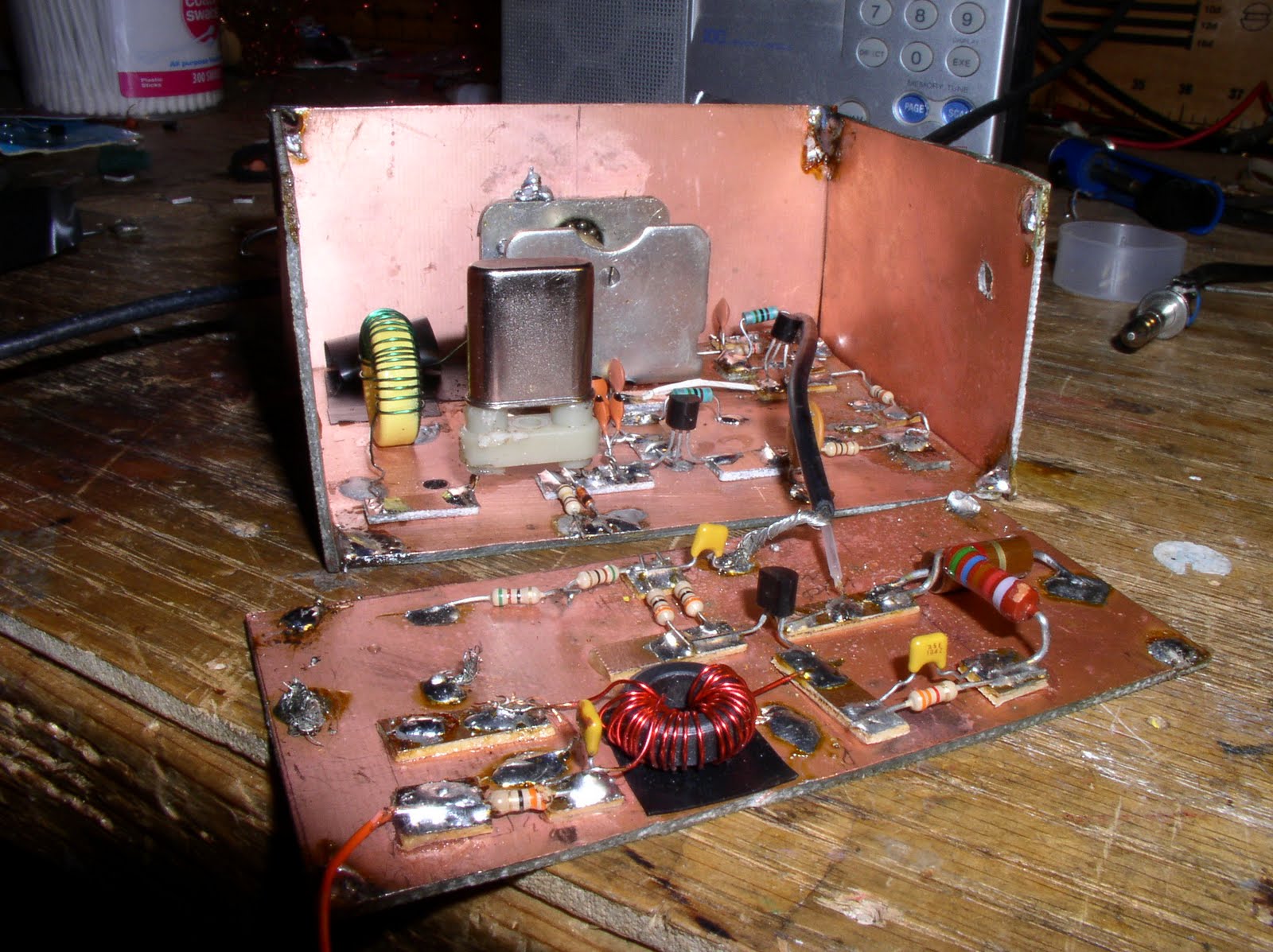
After messing around with the oscillator and buffer circuits, the nice clean Manhattan isolation pads that had been there at the start were all messed up, with big piles of solder with the ends of multiple axial leads stuck in there. I decided to start afresh. Out came the little PCB box that housed that housed the oscillator, buffer and amp stages. Off came the walls of the box. (When I built this thing the first time, I didn’t realize that I would need an amp to get to the 7 dbm needed to drive the diode ring. I ran out of room on the main board and ended up building the needed amplifier on the back wall of the box!)

So I got to build this little circuit again, ten years and three countries after the original build. It was fun. I like building oscillators. There is that satisfying sense of closure and completion when, at the end of the effort, you turn on your receiver and hear the tone from your creation.

There was also a fun little bit of troubleshooting. After rebuilding the oscillator circuit I noticed that applying power to the “on the wall” amplifier caused the oscillator to shut down. At the buffer, I was seeing RF in and RF out, but the whole thing would shut down when I powered up the next stage. Obviously there wasn’t a lot of BUFFERING going on! Sure enough, the MPF102 was bad. I replaced it from my dwindling supply, and all was right with the universe.

Now the amp goes in. But first I will build the low pass filter. I promise.

Our book: “SolderSmoke — Global Adventures in Wireless Electronics”http://soldersmoke.com/book.htmOur coffee mugs, T-Shirts, bumper stickers: http://www.cafepress.com/SolderSmokeOur Book Store: http://astore.amazon.com/contracross-20
A Good Day in the Shack — 2B Fixed, SPRAT Arrives

The temperature has dropped to around 10 C today. Fall is in the air. So it was appropriate for me to do some work on an old tube radio. (Several of our correspondents have reported similar seasonal urges to melt solder and to heat filaments.) This week my trusty Drake 2-B was giving me trouble on 17 meters. It was working on all other bands, but not on 17. Today I put it on the bench, pulled out the schematic and started troubleshooting. I quickly determined that the problem was, in fact, with the 22 MHz crystal. The 2-B has a 24.5 MHz rock for tuning the lower portion of the ten meter band. When I put that crystal in the “E” socket (where the 22 MHz crystal normally sits), the local oscillator worked just fine. Putting the 22 MHz rock back in the E socket resulted in no oscillation. And when I tried to the 22 MHz crystal in the 10 Meter socket normally used by the 24.5 MHz rock… nothing. What causes a perfectly good crystal to go bad like this?

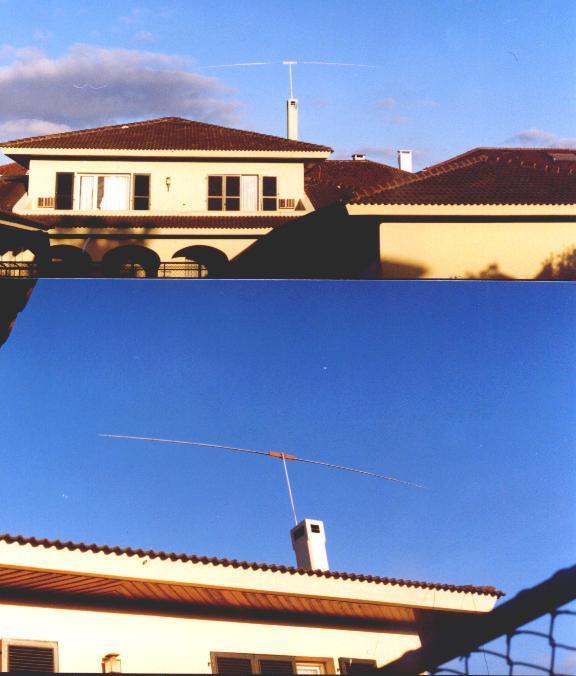
Consulting the 2-B manual, I saw that I could also tune the 17 meter band by using (in socket D) a 14.21 MHz crystal from my junk box (it had been used in my 20 meter NE-602 DSB. transceiver). It works great. I’m listening to DK9KW calling CQ on 17 right now. Makes me want to fix up my homebrew 17 meter transmitter. (I need a final for it, and am thinking of using Farhan’s JBOT circuit). I may even buy some telescoping fishing poles and rebuild my Azorean rotate-able dipole (I have the mast and the wooden center support for the fishing poles). This magnificent antenna is shown above, spreading its wings above Sao Miguel island in the Azores (our home from 2000–2003).

Icing on the cake: I went out to the mailbox, and, instead of the usual pile of bills, there was a SPRAT 148 and the G-QRP Club’s Members Handbook.

Our book: “SolderSmoke — Global Adventures in Wireless Electronics”http://soldersmoke.com/book.htmOur coffee mugs, T-Shirts, bumper stickers: http://www.cafepress.com/SolderSmokeOur Book Store: http://astore.amazon.com/contracross-20
2-B Trouble Continues

Thanks for all the suggestions and encouragement. I agree with WA6ARA that the bandswitch is a likely suspect. For the E socket on the Drake 2-B (that’s where my 22 MHz rock goes) the bandswitch switches in not just the crystal, but also a slug-tuned coil. It is presumed to be an overtone crystal.

The receiver works fine on all other bands.

I’ve already hit the wafer switch with several shots of RadioShack Contact Cleaner (I’m out of De-Ox-It). And I’ve given position E a good work out. No joy.

I will dig deeper this week.

It may be the crystal. It looks like I got it from Drake — it is marked “22 MHz 2C” so it may be for the 2C receiver. It has a sort of worrisome dent in the side. I may build the test oscillator that Steve recommends.

Of course, as soon as I get this fixed the sunspots will disappear and 17 will become a white noise generator.

Our book: “SolderSmoke — Global Adventures in Wireless Electronics”http://soldersmoke.com/book.htmOur coffee mugs, T-Shirts, bumper stickers: http://www.cafepress.com/SolderSmokeOur Book Store: http://astore.amazon.com/contracross-20
2B Trouble!

So this morning I hear that the solar flux is up around 190 and the higher bands are coming back to life. I turn to my trusty Drake 2-B and turn the band switch from “40” (where it has been parked for quite some time) to “E.” E is the position that kicks in the 22 MHz overtone crystal on the 6U8 local oscillator. I eagerly turn the pre-selector to the area where the 17 meter band used to appear and… nothing. Nada. Silence. No band noise. Nothing.

I thought the 6U8 might be going a bit soft. I swapped it out. The problem remains. I twisted that E band coil from one end to the other. Nothing. I cleaned the bandswitch contacts. No joy. Now I’m thinking it is the 22 MHz crystal. But its kind of strange for a crystal to just suddenly go bad… It worked before. The receiver is working on all the other bands, so the problem is really that the oscillator just won’t go on 22 MHz.

What do you wizards recommend?

Our book: “SolderSmoke — Global Adventures in Wireless Electronics”http://soldersmoke.com/book.htmOur coffee mugs, T-Shirts, bumper stickers: http://www.cafepress.com/SolderSmokeOur Book Store: http://astore.amazon.com/contracross-20
VFO = Very Frustrating Object

Bill,
I immensely enjoyed Solder Smoke — The Book, and have given it as gifts to several friends. It has rekindled the homebrewing spark, and I have been operating only homebrew gear this year as a result. My transmitter is a rockbound 40 meter rig, and I am using a HF regen receiver.

Tiring of QRM on 7.030 MHz, I decided to cobble up a VFO. Well, you know how that can take on a life of its’ own. I decided to build a Hartley oscillator at 3.5 MHz, and then double it to 7.030. The initial stages of the oscillator and buffer went well, but then I ran into a brick wall with the doubler, which performed admirably as an attenuator, but nothing else. The circuit was simple enough, but it just wouldn’t work. For a week I tweaked and tuned, to no avail. (as a result of all this effort, my wife said VFO must mean Very Frustrating Object). Then this morning I was going over the circuit again, and discovered that one side of the doubler tank circuit capacitor was grounded, and not supposed to be. It seems the knob shaft of the variable cap was in contact with the metal front panel, and being grounded out. I corrected the problem, and almost shouted EUREKA! when the doubler sprang to life and generated a big and perfect sine wave exactly at 7030!

I just wanted you to know that the story of your doggedness in tracking down the cause of harmonics on one of your homebrew rigs provided moral support to help keep me coming back again and again.

So, thanks again for the inspiration Bill.

Hey, I hope you are going to FDIM this year. If so, you should bring a good supply of SSTB. I bet you would go home with new junk, but no books.

73 de KD7KAR
Rob Pursell

KNACKERS OF THE WORLD UNITE! You have nothing to lose but your warranties!

The folks over at ifixit.com have come up with a Self-Repair Manifesto that readers of this blog will find inspirational. I like the line about “Repair injects soul and makes things unique!” Indeed. As of yesterday they were giving away free posters (real posters, not e-posters) in exchange for a Tweet (I got mine, and intend to put it up here in the SolderSmoke Shack.)

I find that a successful repair is almost as gratifying as a scratch-built homebrew project, especially if the problem was difficult to diagnose.

So, ifixit comrades: The SolderSmoke collective is with you! Up the Revolution!

The Death of a 2N3904: Captured on Grabber Video!

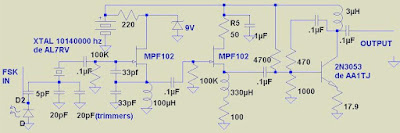
On Sunday I was working on my little DaVinci QRSS transmitter. I had it on, happily generating FSK on 30 meters. Then all of a sudden I noticed that power out had dropped to zero. I suspected a blown final transistor — this was before the installation of my elegant Altoids smoke-stack heat sink, and the little 2N3904 I was using in the final was getting quite hot (it runs Class A). Almost instinctively, I turned to the ON5EX grabber. The image from Johan’s receive system captured the final moment of that transistor. See that bright spot where the square wave ends? That’s when the transistor blew. I tested the 2N3904 out of circuit: the base-collector junction is now completely open (no current in either direction). The death of this transistor may also have been related to the intermittently bad 4700 ohm resistor in the bias circuit. The 2n3904 has been replaced by a more robust 2N3053 sent to me by AA1TJ. It is protected by the Altoids smoke-stack heat sink (scroll down for schematics and an image).

Hope everyone is having fun at Dayton. I caught G3RJV’s talk yesterday via streaming video. As always, inspiring stuff! And I really liked a word he used: socketry. You know, “the PC board, and the box will all the associated SOCKETRY.”

Schematic for QRSS Transmitter

Here is the schematic for the little QRSS (visual) transmitter that is currently rockin’ Europe’s 30 meter band with an AWESOME 20 milliwatts of SLOOOW FSK. (As I type, it is 0415 UTC, 0615 local, and the first signs of my signal have just appeared on the ON5EX grabber up in Belgium.) The FSK modulation comes from Hans Summers’ multivibrator circuit (see earlier posts).

It was a lot of fun to take this thing very quickly from LTSpice, to the workbench, then to the antenna, with Johan’s grabber providing instant feedback. This started out as a one-stage Colpitts oscillator transmitter. But I needed more stability. Indeed, the separate oscillator with the source-follower buffer makes it much more stable. Before, any adjustment to the antenna tuner shifted the frequency. At one point I even suspected that wind blowing the antenna was shifting the frequency — we are talking about a band that is 100 HERTZ wide, so even a few hz of instability is noticeable. But I find that crystal ovens and other extraordinary measures are not really necessary.

I had one unusual problem with this little rig: As I was doing my initial tests, I noticed that the output signal was sort of jumping up and down. The problem was in the PA. I isolated the problem to the base circuit. At first I thought that some small blob of solder was intermittently messing up the bias voltage (that’s quite possible here in the N2CQR lab!). But no! It was that 4700 ohm resistor. It was bad, and kind of intermittently bad! I never had a resistor go south on me like this. It is an ordinary 1/4 resistor. It is not dissipating a lot of power.

I’ll keep it around 10140010 today. Check it out on Johan’s grabber:
http://www.on5ex.be/grabber/grabber.html
Look for a horizontal lines with little bumps (about 4-5 per minute). That’s me.

Bad Vibes (No Vibes) :-(

Thanks for all the advice. I especially liked the LTSpice model — it was good to get back to that great program. I plugged in the values that I am using (from Hans’ circuit) and the 2N2222 transistors — Spice says it should work. But no joy in the real world. I tried it with .1 uF caps — nothing. I tried it with two fairly big 15 uF electolytics (as always, with the positive terminals to the collectors). No luck. Both collectors are just sitting there at .015 volts, both of the bases are at .6 volts. Sounds like both transistors are constantly at saturation, right?
Any other ideas? (I know I could do this with an IC, but I want to try to make it work with the simple two transistor circuit.)

Troubleshooting and Simulations

Alan, W2AEW, roams the Northeast USA as a Field Application Engineer for Tektronix. This week he sent me an e-mail with some words of wisdom about simulations and troubleshooting. Thanks Alan!

An excerpt from Alan’s e-mail:

Funny you mentioned about LTSpice, and wanting to have that puff of soldersmoke whenever you place a component. It reminds me of something that I’d often tell new-hire engineers. Many times, engineers fresh out of school have never touched a resistor – they’ve often spent their entire education doing bookwork and simulations. I would always caution engineers about this, and try to illustrate that the simulation is only as good as the model you give it. If you ask the simulator to exercise the model in a way it wasn’t designed for, it won’t tell you that, it will just lie to you. YOU have to be smart enough to recognize the lie. For example, the simulator has no problem putting 10,000 amps through a 1N914A diode – it doesn’t know that you’ll let the smoke out of it! The simulator must be considered a tool, just as you VOM, scope, counter, finger, nose, etc. are all tools. Each can give you valuable information (and can lie to you). You have to learn to know what you can believe, and what you have to question – and you need to develop ways to look at strange behavior in a number of ways to figure out what is happening.
It reminds me of a story that Jim Williams wrote many years ago (you mentioned Jim Williams in a previous SS episode). He described how, as a child, he was playing with circuits at his neighbor’s, and using his (neighbor’s) oscilloscope to examine a circuit he was working on. He was getting all kinds of strange behavior, and couldn’t make heads or tails of what he was seeing with the scope, VOM, etc. The neighbor (who was definitely afflicted with the Knack) came by and, with moistened fingers, probed around in his circuit for a few minutes. He then grabbed a small value capacitor and soldered it judiciously in the circuit, and everything worked fine. Jim was flabergasted and demanded an explanation. The neighbor said that he suspected that the circuit was oscillating at several hundred MHz, and used his finger’s capacitance/loss/etc. to damp this behavior. He continued to explain that since the oscillation frequency was so high, the scope couldn’t “see” it. Jim complained that this “wasn’t fair”! The neighbor concluded the lesson about how important it is to not-only understand what our tools can do for us, but it is really more important to understand their limitations – because it is when we ask a tool to do something that it can’t do, it often won’t complain, it will lie. The same holds true for nearly every tool we use, and is a lesson well learned. This story is included in his chapter entitled “Should Ohm’s Law Be Repealed?” in his book, “Analog Circuit Design: Art, Science and Personalities” from 1991.

Alan has a lot of great stuff on his web site. Check it out:
http://www.qsl.net/w2aew/