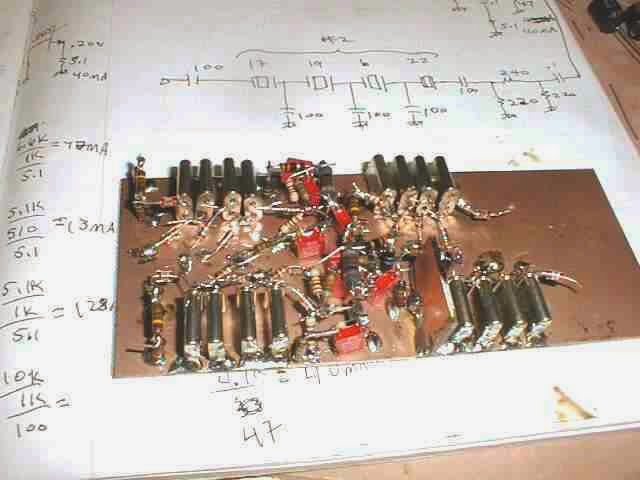
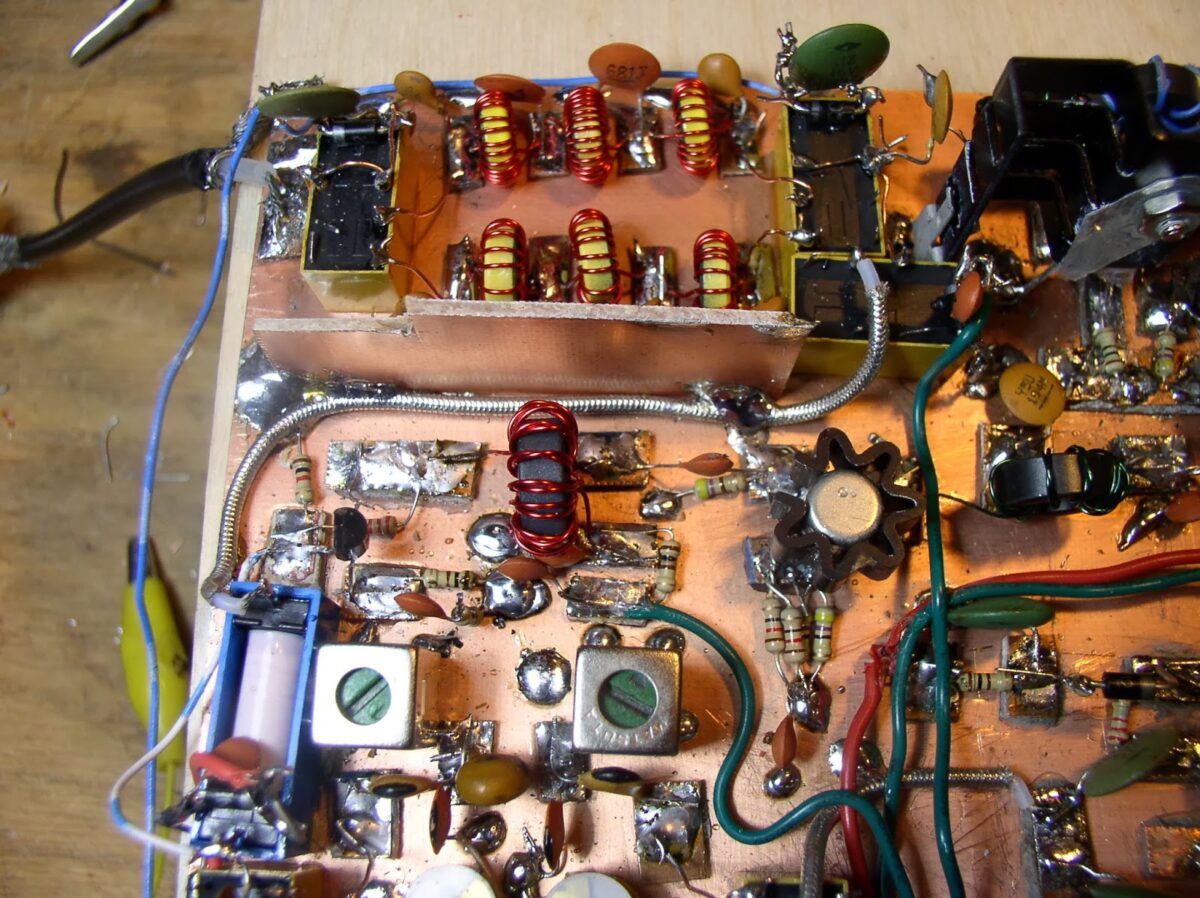
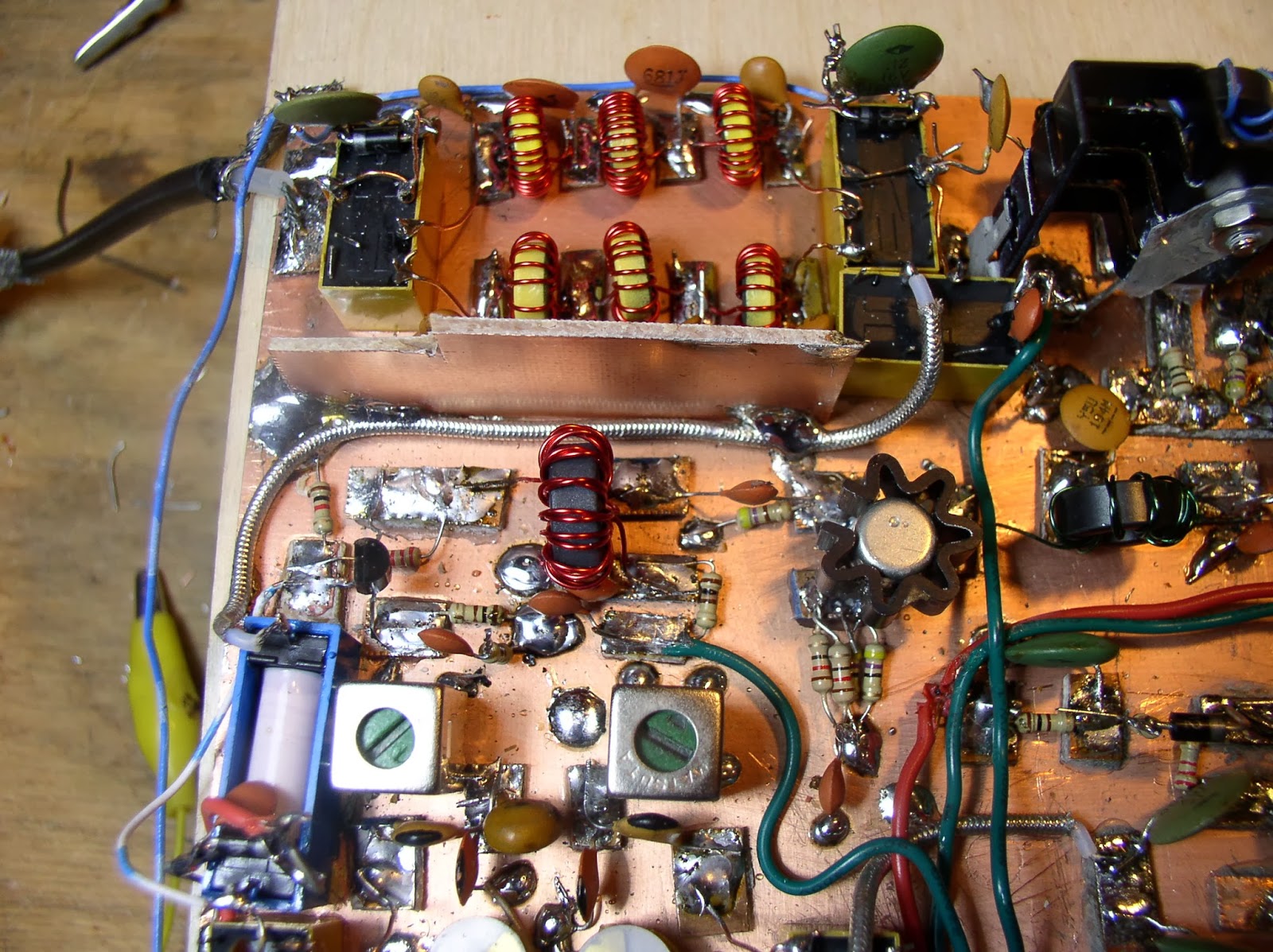
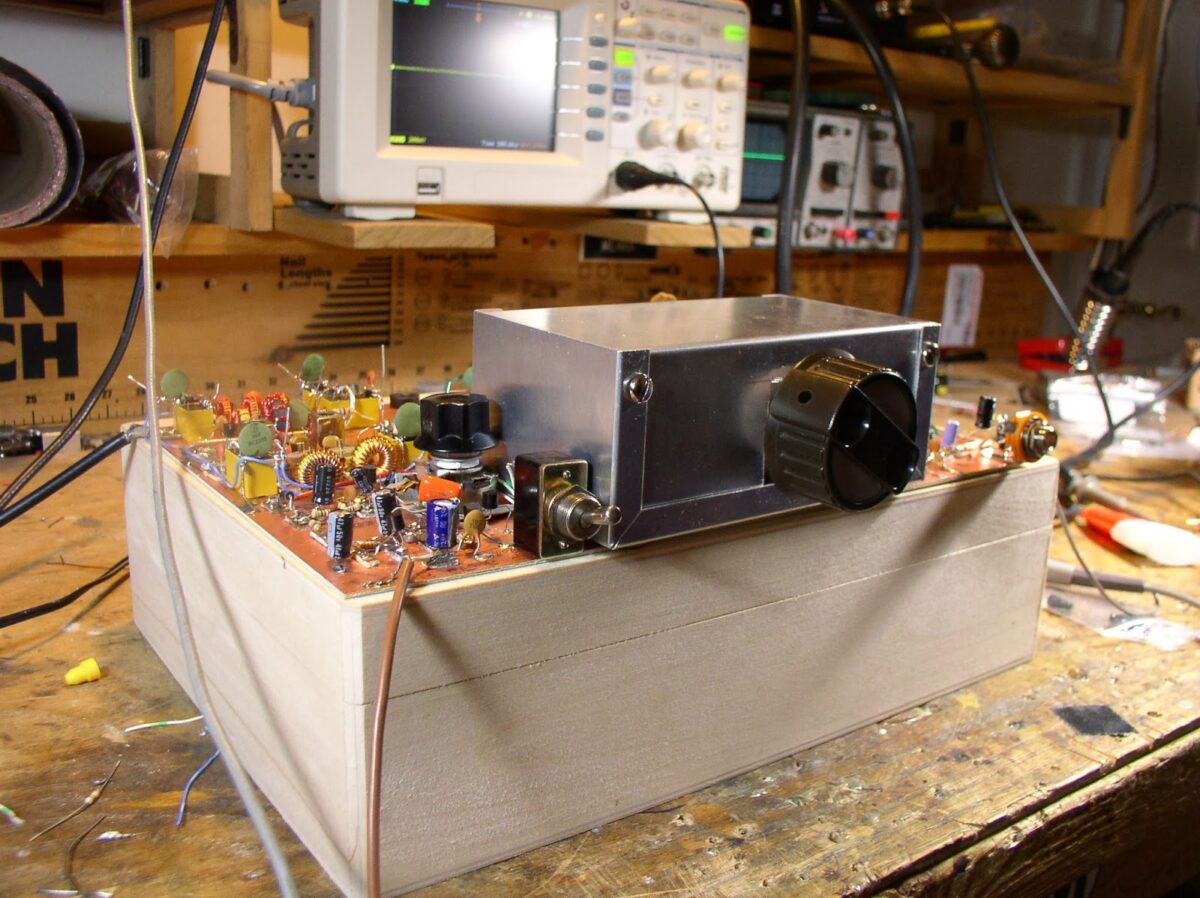
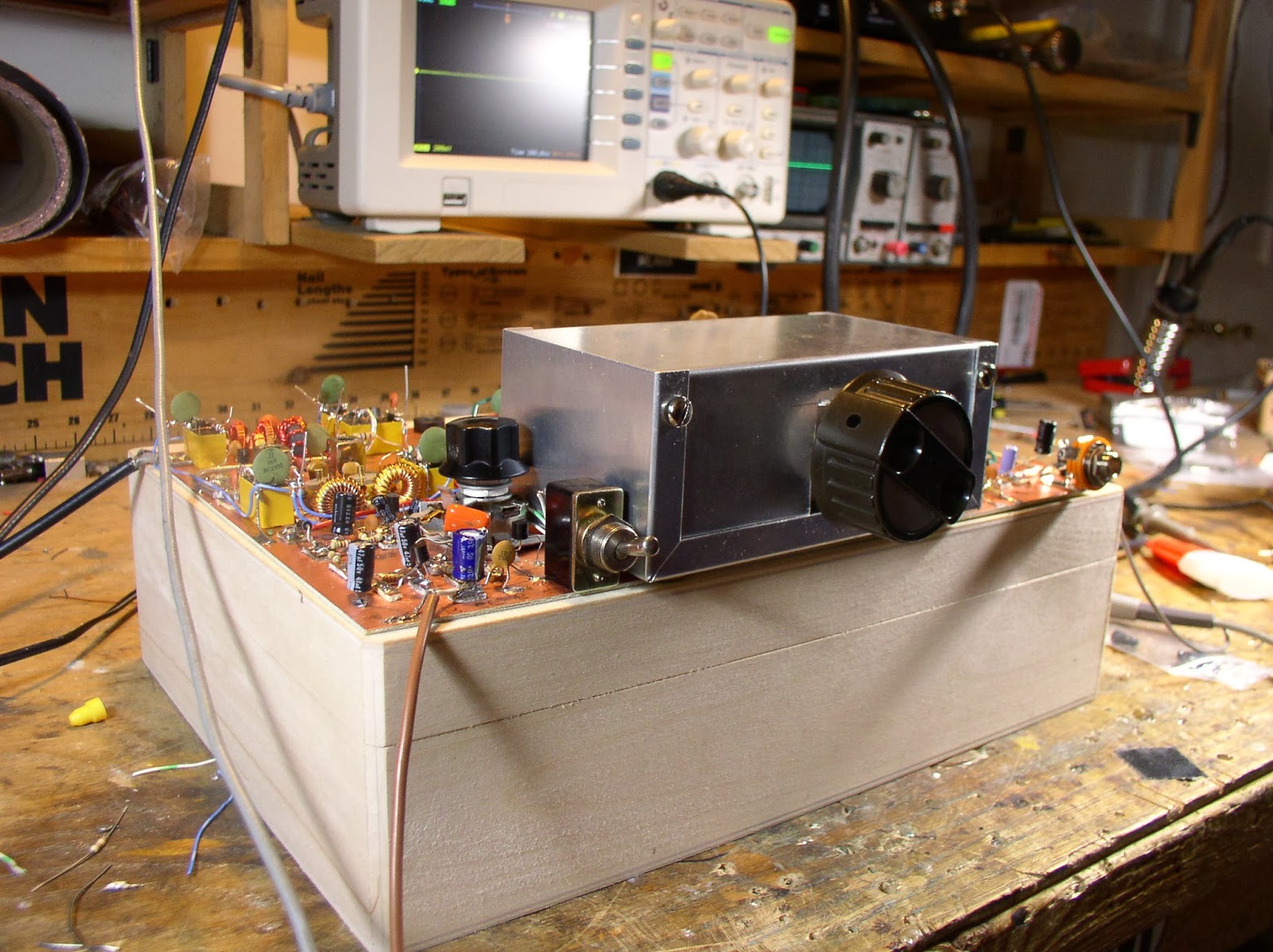
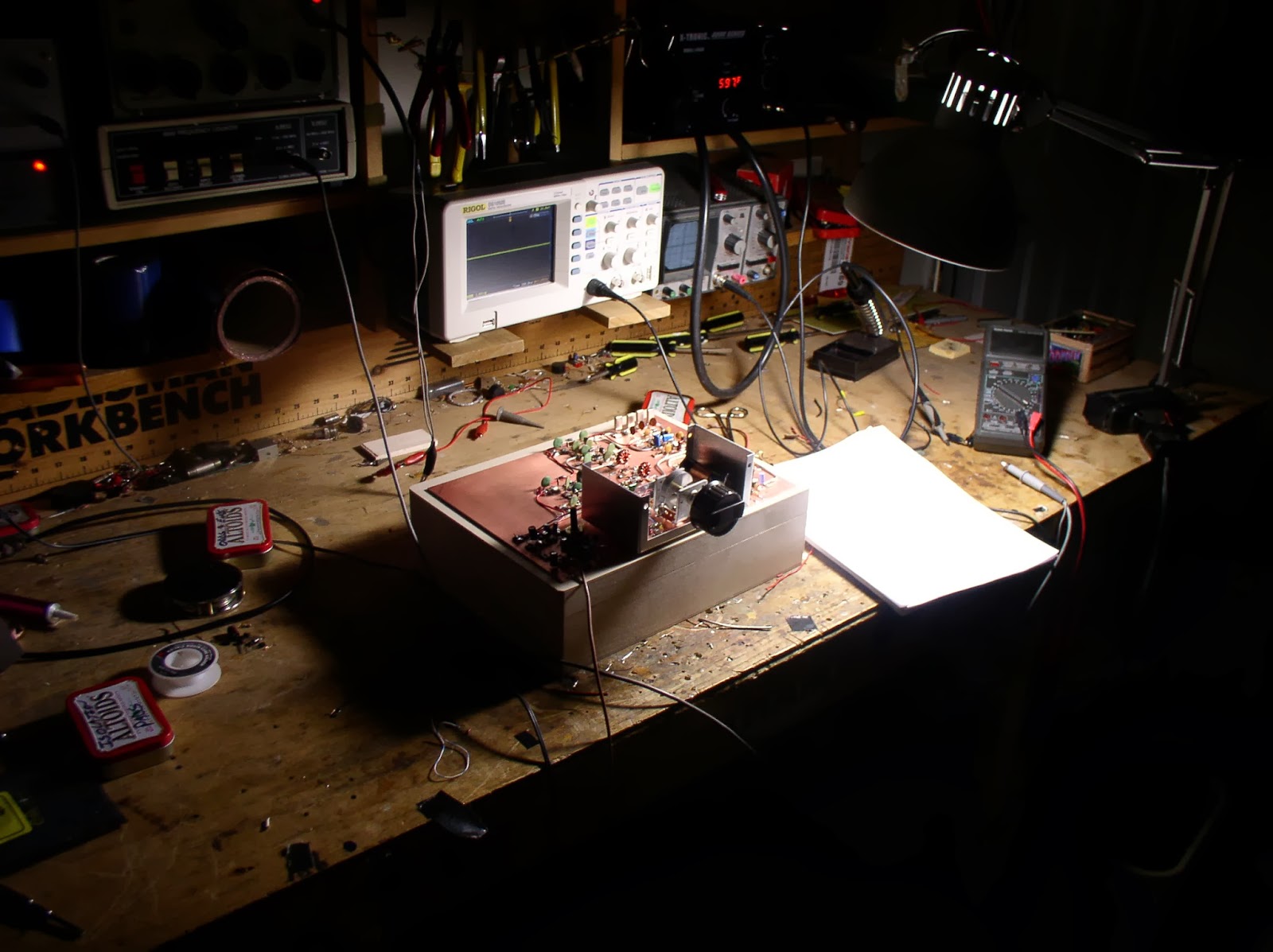
BITX DIGI-TIA Build Update #2 Installing and Testing Yaesu SSB Filter

Termination Insensitivity. It sounds like some sort of psychological problem, but it is not!

Our book: “SolderSmoke — Global Adventures in Wireless Electronics” http://soldersmoke.com/book.htm Our coffee mugs, T-Shirts, bumper stickers: http://www.cafepress.com/SolderSmoke Our Book Store: http://astore.amazon.com/contracross-20
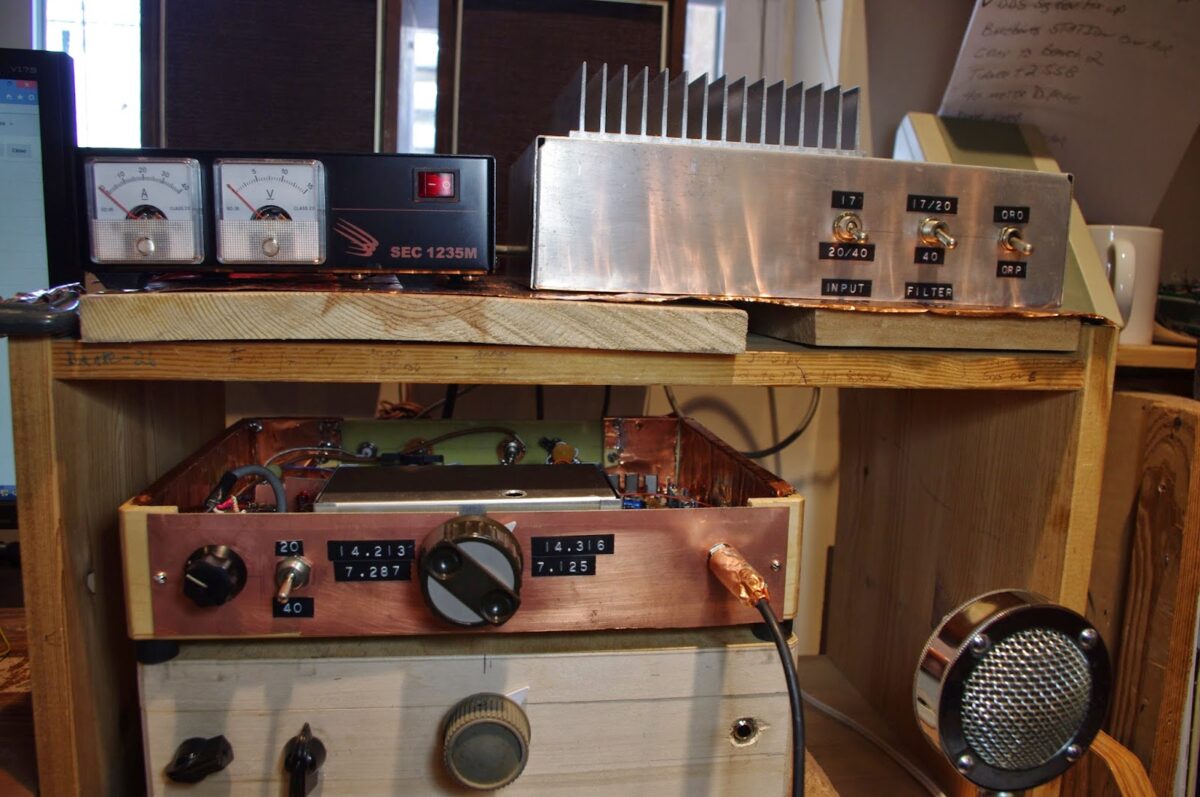
SolderSmoke Podcast #174:Belthorn III, BITX20(-40), Parasites, Test Gear, Hamfest, SPRAT, Flares, BITX History

SolderSmoke Podcast #174 is available:

http://soldersmoke.com/soldersmoke174.mp3

March 28, 2015

Happy Arduino Day!
Pete’s Belthorn III Transceiver (with cool color display)
Bill’s BITX 20 (that used to be a BITX20/40)
AD9850 DDS added to Barebones Superhet
Jean Shepherd on Parasitic Oscillations, Obsession, and Madness
Simple Test Gear for the Homebrewer
Digital Oscilloscopes and their amazing capabilities
Dongles and other great stuff in SPRAT 162
The BIG St. Patrick’s Day Solar Flare
VK6MV’s Amazing Rhombic (+)
VK7XX (Dos Equis!)
A Bit of BITX History
Pete going KX3 QRO

Our book: “SolderSmoke — Global Adventures in Wireless Electronics” http://soldersmoke.com/book.htm Our coffee mugs, T-Shirts, bumper stickers: http://www.cafepress.com/SolderSmoke Our Book Store: http://astore.amazon.com/contracross-20
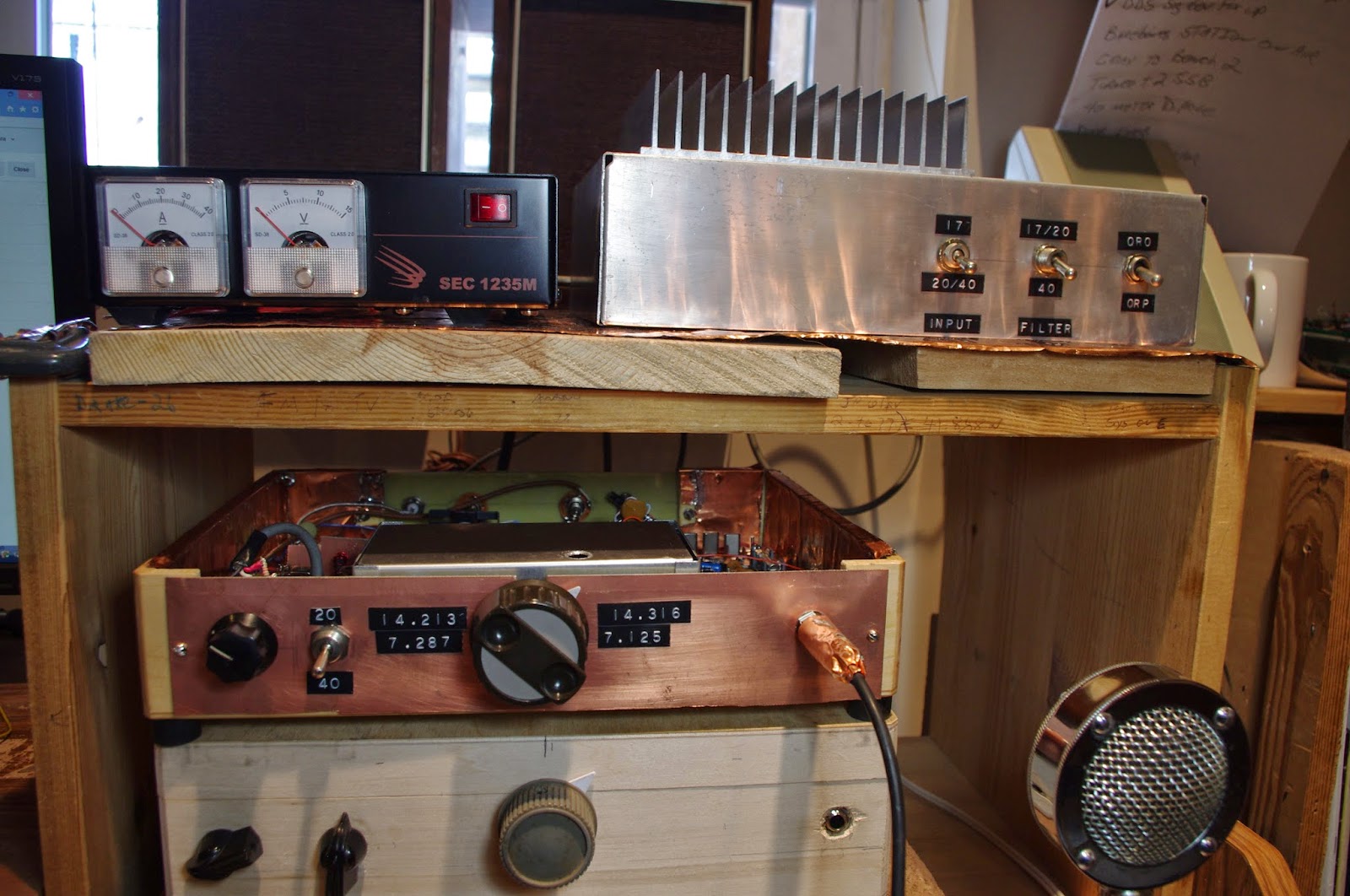
SolderSmoke Podcast 173: Pete’s LBS Triumph and Bill’s Tale of QRO Woe

SolderSmoke Podcast #173 is available:

http://soldersmoke.com/soldersmoke173.mp3

7 March 2015

Bench Report: Pete’s Progress on the Let’s Build Something Rig:
http://www.jessystems.com/LBS_Detail.html
Ben’s cool case for his LBS rig
Bill’s Tale of Woe: QRO troubles with the BITX 40
— QRO amplifier taking off on 40 (but not 17)
— Criticism and public humiliation on 40
— Troubleshooting
— Suggestions from Allison
— A sad realization about my VFO frequency selection
— Exorcism needed
— Pete suggests a digital solution
— Wow, my ‘scope has an FFT! Almost a spectrum analyzer!
— Some thoughts on trouble shooting
— On the meaning of “BASTA!”
The Spring 2015 Issue of Hot Iron http://www.walfords.net
More on Pete’s KX3
Encouraging other hams to build

Our book: “SolderSmoke — Global Adventures in Wireless Electronics” http://soldersmoke.com/book.htm Our coffee mugs, T-Shirts, bumper stickers: http://www.cafepress.com/SolderSmoke Our Book Store: http://astore.amazon.com/contracross-20
Glowing Blue Numerals! A Frequency Counter for the BITX17 (VIDEO)

These little frequency counters from China have a lot of potential. And they add a dash of digital color to an otherwise bland analog hamshack. I got mine on e-bay.

My BITX17 has now been “accessorized” with
1) A rotatable Moxon antenna (big improvment!)
2) A 120 watt Communications Concepts Linear amplifier (another big improvement) and
3) This digital frequency readout.

What next?

Our book: “SolderSmoke — Global Adventures in Wireless Electronics” http://soldersmoke.com/book.htm Our coffee mugs, T-Shirts, bumper stickers: http://www.cafepress.com/SolderSmoke Our Book Store: http://astore.amazon.com/contracross-20
DuWayne’s Scalar Network Analyzer — In an Altoids Tin!

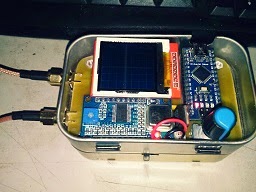
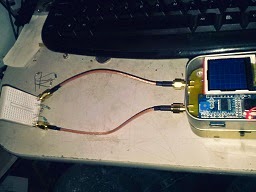
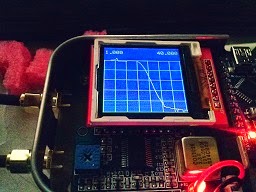
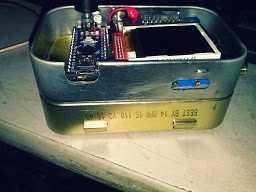
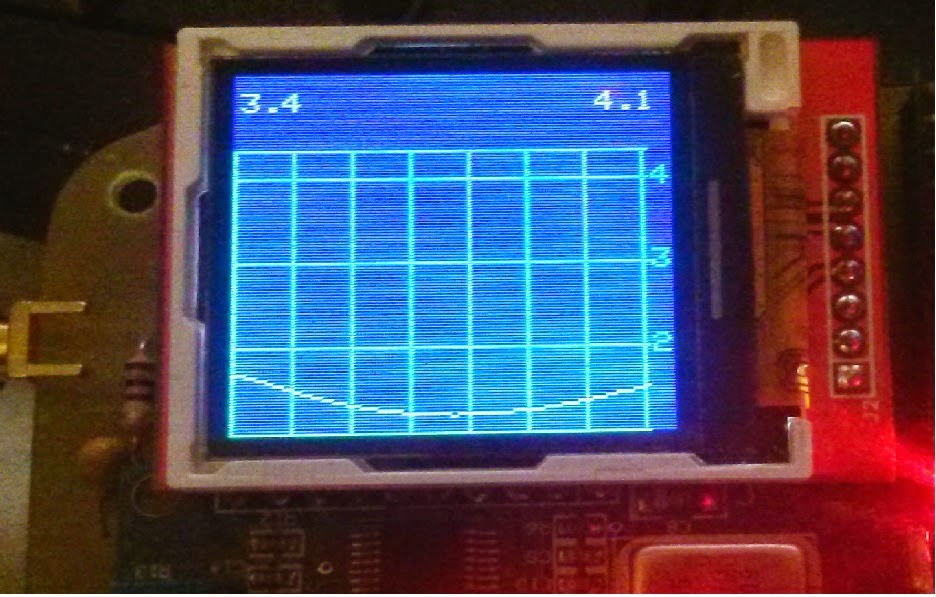
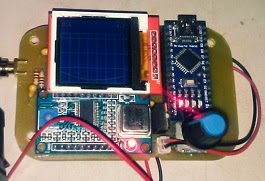
DuWayne (KV4QB) has done something very cool here. He’s taken an Arduino Nano, a cheap AD9850 DDS board, a small screen, and a couple of log detectors, and he has built IN AN ALTOIDS TIN a scalar network analyzer that lets you see the bandpass of a filter. (We posted an earlier version of this here: http://soldersmoke.blogspot.com/2015/01/duwaynes-ad9850-arduino-tft-swr-scanner.html ) Wow. I’ve been doing this by hand, changing the input freq at 100Hz increments, measuring the output, putting the results into a spread sheet, converting to log (db), creating a graph… DuWayne makes it a lot easier. DuWayne is being encouraged to write up the results, possibly for QRP Quarterly.


Hi Guys
Started playing around with the SWR scanner that I had been working on. Waned to see how hard it would be to make a very simple scalar network analyzer out of what I had. Really wanted something small to use for checking bandpass other filters. Hoped to get about 30 db. of range ,which should be enough for most filters. I have a couple of 8307 log detectors, but was afraid that it would be a pain getting it working and shielded in an Altoids tin along with the rest of the circuitry. Went with something even easier than the resistive SWR bridge I already had. Replaced the bridge with two basic diode RF probes, and changed the amplifiers so I could adjust the gain. I use one to measure the direct output of the 9850 DDS module, and the other for the output of the device under test. Kept the same control function as in the SWR scanner. A short push on the encoder button starts a sweep of the selected band. Holding it down for over a second cycles through the bands. Once a scan is done you can use the encoder to scroll through the sweep. I display the frequency and iDUT value in db relative to the output of the DDS module. The USB connector is available and different start and stop frequencies can be entered if needed when working with IF stages.

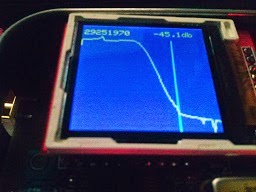
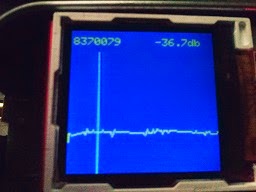
Well it worked much better than I had expected. After a simple adjustment of the amp gains with the output looped directly to the input, I was getting nearly 50 db with the loopback removed. Just using some standard value resistors, in a pi attenuator I got a very nice looking sweep that was within a couple db of the 40 db i had built it for. Since I only used standard value resistors, I though this was good enough.

Then I used ELSIE to design a 14mhz lowpass filter, again used standard values for L and C that I had on hand . Really happy with the results I got.

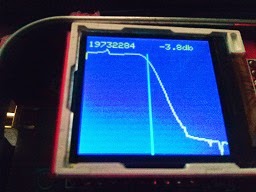
Finally I grabbed 3 crystals out of a bag without checking frequency or other parameters, I threw together a basic crystal filter. Used the USB interface to set the sweep range, I was really really really pleased with the results I was able to obtain.

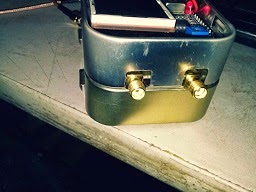
The software still needs a little tweaking and a couple of additional functions I want to add, but I think this will be a very nice tool. Plan on giving it a try when I build Pete’s Lets Build Something transceiver. Amazing what you can stick in Altoids tins, even if you have to stack two so you can include a battery pack .

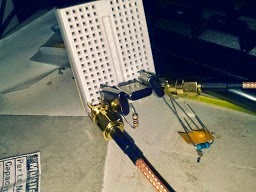
Attaching some pictures of the progress so far. As you can see that with what I used to build the test fixtures, I am amazed that they even worked at all.
73 DuWayne

Our book: “SolderSmoke — Global Adventures in Wireless Electronics” http://soldersmoke.com/book.htm Our coffee mugs, T-Shirts, bumper stickers: http://www.cafepress.com/SolderSmoke Our Book Store: http://astore.amazon.com/contracross-20
A De-Soldering Primer By Wayne Burdick

A De-Soldering Primer
By
Wayne Burdick, N6KR
Removing resistors and other parts from double-sided boards is easy and
fun. After years of careful analysis of my own technique I have documented
the process. I start with technique #1, below; if that doesn’t work, I try
#2, etc. Good luck!
1. Turn the board over. With one hand behind your back, a wry smile, and
the confidence of a pet surgeon, simply heat the lead in question and
listen for the pleasant sound of the component hitting the work bench.
2. Well, that *would* be too easy, wouldn’t it. Staying with the solder
side for now, locate a large solder sucker (the larger the better; it
should frighten smaller pets when brandished). Heat each joint and deftly
suck out the solder with a single satisfying Thwop! Listen for the part
hitting the bench.
3. Didn’t fall out, eh? No problem: rummage in that tool bin for a shiny
new roll of solder wick. Crack open a beer, too, and take a generous swig.
Wedge that wick in between the lead and pad, heat until you see the solder
flow nicely onto the wick, and pull it out of the way just in time to see a
beatiful, black annular ring around your component lead. Nudge each lead
with your iron and keep your fingers crossed.
4. OK, so you’ve got a tough customer: small lead, hole just barely
larger, and a bit of off-color solder that can’t be bothered with any of
the usual techniques. Have another sip of that brew. Vigorously flip the
board back to the component side. Now grip the lead professionally with
your most elegant long-nose pliers and hold on tight. Give it a playful
yank, then pray. Should pop right out.
5. Damn. Finish the beer and get out your brutal, 8″ electrician’s
long-nose. Grab the component with gusto this time, buster, then tip the
board up at a 45. Turn up your soldering station to max and heat that baby
up on the backside. Pull down hard with the pliers.
6. No go? Hmmmm — let’s get serious. Put the board up directly on its
edge and hold it in place vertically with your chin. Since your iron is
suspect by this time, test it for several seconds on the nearest exposed
skin. (Doing it by accident is just as effective.) Heat the joint with
*feeling* this time. Lunge and parry. Don’t worry about the pad, traces,
or other parts–this is war! With maximal chin pressure exerted to hold
the offending board in place, pull the lead out, out, Out!
7. OK, so you “…couldn’t get hold of it…,” blah blah blah. Fool!
You must risk everthing at this stage. Insert a small screwdriver under
the part, and white-knuckle that soldering iron on the obverse. Pry and
heat until it pops. (Note: It is important to keep in mind the concept of
“kick-back” should you succeed at this. PC boards are likely to
wobble, flop, slip, then fling out of your grasp once the offending little
monster finally lets go, taking test leads and soldering station with it.)
8. So, what kind of inept dweeb are you, anyway? Give up! Clip the part.
Leave some lead to grab onto and repeat #6 and 7. If your face has turned
red it is best to shield the work from veiw with your body, then steal a
quick look behind you to be sure noone is suppressing a giggle as they
watch this humiliating display.
9A. The lead came out but you STILL have some solder left in the hole?
Gads. Find another part that you can sacrifice. Press its helpless
lead into the depressingly small pit you made in the center of the pad.
Heat the base of the lead until you achieve Punch-Through. Yank and Heat,
Yank and Heat. Evetually the solder will give up in disgust and the
sacrificial component lead will slide smoothly, signalling victory.
9B. To your left is a hand drill; to your right is a #60 bit. You know
what you must do.
10. Now—you brute!— now that you’ve overheated the pad, broken the trace,
cracked the component, gouged the board, pitted the tip, blistered the
skin, wasted a beer, and irrefutably proven once and for all that you
should have taken up gardening instead, NOW maybe you’ll learn the color
code!
😉
N6KR


Thanks Wayne! Been there! Done ALL that! This brought to mind the time I soldered in a 16 pin logic chip on a double sided board… UPSIDE DOWN. TRIBAL KNOWLEDGE MY FRIENDS.

Our book: “SolderSmoke — Global Adventures in Wireless Electronics” http://soldersmoke.com/book.htm Our coffee mugs, T-Shirts, bumper stickers: http://www.cafepress.com/SolderSmoke Our Book Store: http://astore.amazon.com/contracross-20
SolderSmoke #171 DC RX in QQ, Power Supplies, Small Screens, 12 Buck Counters, HW8 Error?, KX3 RX

SolderSmoke Podcast #171 is available:

http://soldersmoke.com/soldersmoke171.mp3

Bench Report:
Pete’s Small Screens (in Color!)
Si5351s
Bill’s Graph Paper Frequency Readout
Bill’s Broadened Barebones Barbados RX. DIGITIZED!
Another AD9850 DDS using M0XPD Kanga UK Shield
New 13 dollar Color Display (Prettier than Graph paper!)

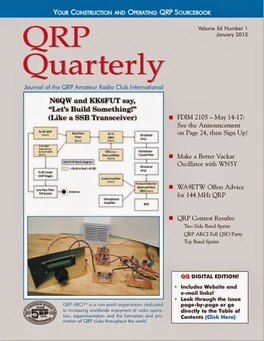
Pete and Ben’s Article in QRP Quarterly Available free here:
http://www.qrparci.org/qqsample/qqsample.pdf

The DEEP SPIRITUAL REWARDS of DC Receivers
The Importance of Good Power Supplies
SPRAT Article on HW8 Design Error
Latest Edition of Hot Iron
Elecraft KX3 — Has one of the best receivers in the world

Our book: “SolderSmoke — Global Adventures in Wireless Electronics” http://soldersmoke.com/book.htm Our coffee mugs, T-Shirts, bumper stickers: http://www.cafepress.com/SolderSmoke Our Book Store: http://astore.amazon.com/contracross-20
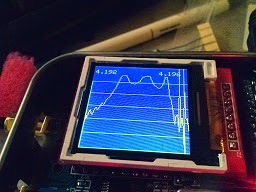
DuWayne’s AD9850 Arduino TFT SWR Scanner

This is really nice. DuWayne KQ4VB, has been talking to Pete about his use of digital chips, Arduinos and TFT displays in homebrew SWR analyzers. Obviously these techniques could be used to measure the passband of crystal filters. (Far superior to my pencil and paper procedures.) Nice work DuWayne!

Pete
Looks good, I did some playing with the TFT board I have. Did a board for the antenna analyzer using the TFT and a 9850 DDS module insted of the NOKIA and si5351. Wanted to see if there was much difference between a sine wave out and the square wave from the 5351. Appears to be very nearly the same from a couple of quick tests I have done. Want to try some different diodes and change some values for amplifier gain.
Will keep you informed. DuWayne

Earlier… (4 November 2014)

Pete
Really enjoy listening to you on Solder-Smoke. Saw the link to your
xcvr with the Adafruit si5351 board. I got a couple of them and have
been playing with code for them. Have been spending most of my time
working on an antenna analyzer based on the one by K6BEZ. Pleased to see
your article in the latest QQ. I have used basically the same circuit,
except am using the little NOKIA LCD display. The resolution is not the
greatest but works well for this application. I am using some of the
original code from K6BEZ to talk with his existing PC program. For
stand alone I have 2 modes, a straight tune mode where I can select the
frequency and read the SWR. Also implementing a sweep mode that scans
the whole band and after it is finished you can tune across and see the
frequency and SWR. I am attaching a couple of pictures of what I have
so far. Waiting on the correct op amp to arrive and making some changes
to the amp gain to get better results on the higher band where the
output of the DDS drops off.
Thanks for all the inspiration you give to us home builders and tinkerers
out here.
73 DuWayne KV4QB

Our book: “SolderSmoke — Global Adventures in Wireless Electronics” http://soldersmoke.com/book.htm Our coffee mugs, T-Shirts, bumper stickers: http://www.cafepress.com/SolderSmoke Our Book Store: http://astore.amazon.com/contracross-20
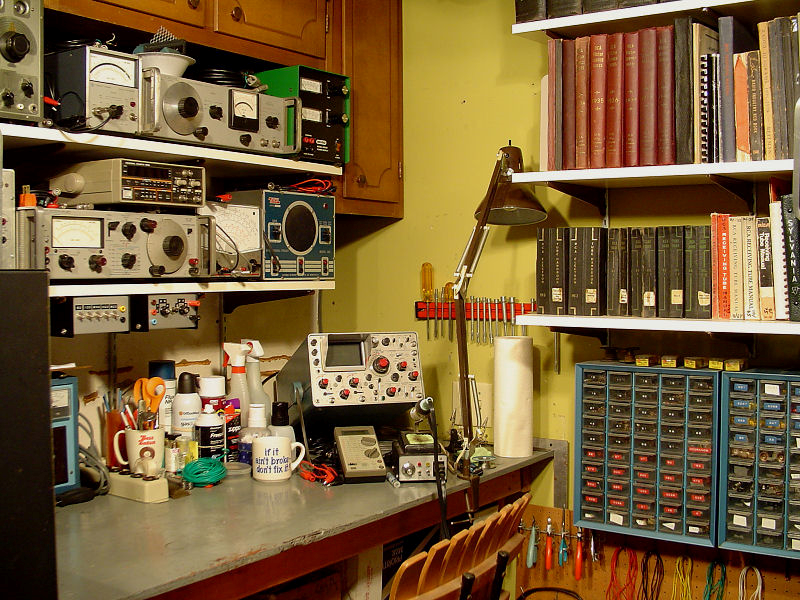
Star City Antique Radio’s Beautiful Workshop

Dale Cook of Star City Antique Radios and Test Gear has a really nice site with great pictures of his workbenches and test gear. Inspirational stuff. Take a look:

http://plymouthcolony.net/starcity/radios/pages/compact.html

Our book: “SolderSmoke — Global Adventures in Wireless Electronics” http://soldersmoke.com/book.htm Our coffee mugs, T-Shirts, bumper stickers: http://www.cafepress.com/SolderSmoke Our Book Store: http://astore.amazon.com/contracross-20
Colin Gets His BITX Receiver Going

Pete and I congratulated Colin on the First Sigs heard by his BITX (sort of like First Light for a telescope.) He is clearly following the advice offered by Farhan in the original BITX20 article: Take a break when the receiver is done; sit back to enjoy the sounds of success. I told Colin that having a small error in the build, then finding it and fixing it, well, that’s icing on the cake OM. This also shows the benefit of having an oscilloscope. Here is Colin’s report:
Hi Pete and Bill,
I really enjoyed the latest SolderSmoke! I think you two have got a winning formula, humour interspersed with valuable technical knowledge. Some podcasts are just too serious, there’s nothing wrong with having fun in your hobby!
Progress is slow here, as always, but each week I have managed to move a little bit further forward. This week I aligned my BITX band pass filter and made a rough measurement of my crystal filter using the DDS signal generator that I built last week.
My oscilloscope is a Tektronix 465, older than me I believe! Of course there is no fancy signal level readout like the modern digital scopes, so I had to just peak the injected signal through the crystal filter and measure the frequency using a frequency counter connected to the IF amp. I followed the BITX ver 3 build instructions and my results seemed to match very closely to the Indian kit. I’m going to set my BFO at the -20dB from peak level as suggested in the ver3 instructions, I guess I can fine tune the setting later.
At first I had no signal making it out of the last RX IF amp, I traced the signal right through to the base of the first transistor but then the signal was lost. I had thought that band conditions were poor when I tried my BITX in RX last week when in fact it turns out that I’d made a small mistake building the IF amplifier that follows the crystal filter! I had wired the 4k7 resistor in the wrong place! I made the circuit good and hey presto, lots of signal coming out of the amp!
I was eager to give the receiver another try. On Fridays work finishes at 1pm, so a great chance to try out my rig during daylight hours. I hooked up the rig to a random piece of wire and I was amazed by the great noises coming from the speaker! I hadn’t even set the BFO but voices were just leaping out. Man that rig has a lot of AF gain! I obtained a switched 10k log pot which I intend to use for power on and AF gain so hopefully the volume control will be OK. As a side note, it was nice to hear HF0YOTA down in the CW portion, I’m guessing that it is youngsters on the air station, I must do a search on the call later.
73, Colin M1BUU
So the little signal generator has already earned it’s keep. I guess I can would have been scratching my head for a while without it!

Our book: “SolderSmoke — Global Adventures in Wireless Electronics” http://soldersmoke.com/book.htm Our coffee mugs, T-Shirts, bumper stickers: http://www.cafepress.com/SolderSmoke Our Book Store: http://astore.amazon.com/contracross-20
SolderSmoke Podcast #163 Pete Juliano! Tribal Knowledge Part 3 “Sideband Sidecars”

Crystal Filters built by WA7MLH

SolderSmoke Podcast #163 is available:

http://soldersmoke.com/soldersmoke163.mp3

Saturday July 26, 2014

Part III with Pete Juliano: Tribal Knowledge — Sideband Sidecars

— Moxon Update “A Thing of Beauty”
— Pete is Building Peter Parker’s Knobless Wonder
— Ladder Filters
–Construction Practices for SSB rigs
— Essential Test Gear
— Junk Box development and parts storage

Next time: Tubes, Valves, Termatrons, Firebottles.

Thanks to Bob Crane and the FDIM musicians for this episode’s musical opening.

Our book: “SolderSmoke — Global Adventures in Wireless Electronics” http://soldersmoke.com/book.htm Our coffee mugs, T-Shirts, bumper stickers: http://www.cafepress.com/SolderSmoke Our Book Store: http://astore.amazon.com/contracross-20
Alan Wolke’s GREAT Video on Transmission Line Termination

An outSTANDING Wave video from Alan! Check out the comments from new hams on the YouTube page: Alan has a real knack (!) for explaining technical material, and for imparting real understanding.

Our book: “SolderSmoke — Global Adventures in Wireless Electronics” http://soldersmoke.com/book.htm Our coffee mugs, T-Shirts, bumper stickers: http://www.cafepress.com/SolderSmoke Our Book Store: http://astore.amazon.com/contracross-20
SolderSmoke Podcast #161: Homebrew SSB: An Interview with Pete Juliano, N6QW

SolderSmoke Podcast #161 is available:

http://soldersmoke.com/soldersmoke161.mp3

26 May 2013

Homebrew Single Sideband — An Interview with Pete Juliano, N6QW

— Pete’s background: 55 years in radio. Boatanchors AND Arduinos. 40673 Mosfets. Guitar!
— A personal transition from CW to phone.
— The importance of passing on “tribal knowledge.”
— What you need: A library, tools, test gear and a junque box.
— A new word in the homebrew lexicon: Pete explains “noodling.”
— One stage at a time!
— The attractiveness of standard circuit blocks (that work!)
— The importance of IF selection.
— Building your own crystal filters is easier than ever.
— Thinking (early) about the enclosure.
–VFOs, VXOs, and (gasp) Direct Digital Synthesis

Thanks Pete!

Pete’s Web Site: http://www.jessystems.com/

Pete’s YouTube Channel:
https://www.youtube.com/channel/UC4_ft4-oTdCMlWlL4XXHScg/videos


Our book: “SolderSmoke — Global Adventures in Wireless Electronics” http://soldersmoke.com/book.htm Our coffee mugs, T-Shirts, bumper stickers: http://www.cafepress.com/SolderSmoke Our Book Store: http://astore.amazon.com/contracross-20
Harv’s DDS Function Generator

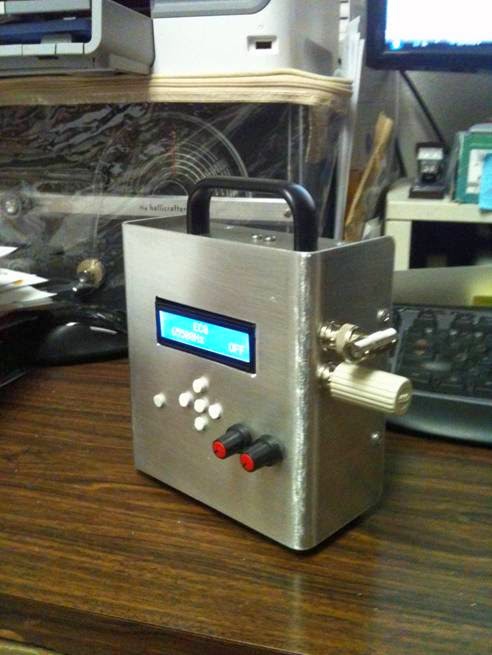
Nice looking DDS function generator Harv! Glad to see the HT-37 in the background. (And it appears well protected — is that some sort of digital shielding to protect it from the bits and bytes?) The eraser buttons are a nice touch. Good luck with the Minima!

Hi Bill,
Well I have nearly completed my DDS Function Generator as I prepare to construct the Minima.
The Function Generator was a necessity for the bench so I can tackle Tweaking and Troubleshooting my work.
It is housed an aluminum box and completely self-contained.
My objective was to have the choice, to either lay the unit flat on the work surface or stand it on a shelf for easy reading while seated.
The Generator has both a DDS and HF-ECG output.
The buttons are fashioned from White Pencil Erasers since finding proper buttons for the membrane keypad beneath was difficult.
I have obtained a set of Farhan’s Boards for the Minima but will begin my effort with a Manhattan Style Construction so I can perfect my choice of parts.
The soldering iron is heating and I’m ready for a new and exciting challenge.
Happy Solder Melting Everyone!
Harv -=WA3EIB=-
Albq., NM.

Our book: “SolderSmoke — Global Adventures in Wireless Electronics” http://soldersmoke.com/book.htm Our coffee mugs, T-Shirts, bumper stickers: http://www.cafepress.com/SolderSmoke Our Book Store: http://astore.amazon.com/contracross-20
Back to the W7ZOI/W7PUA Power Meter

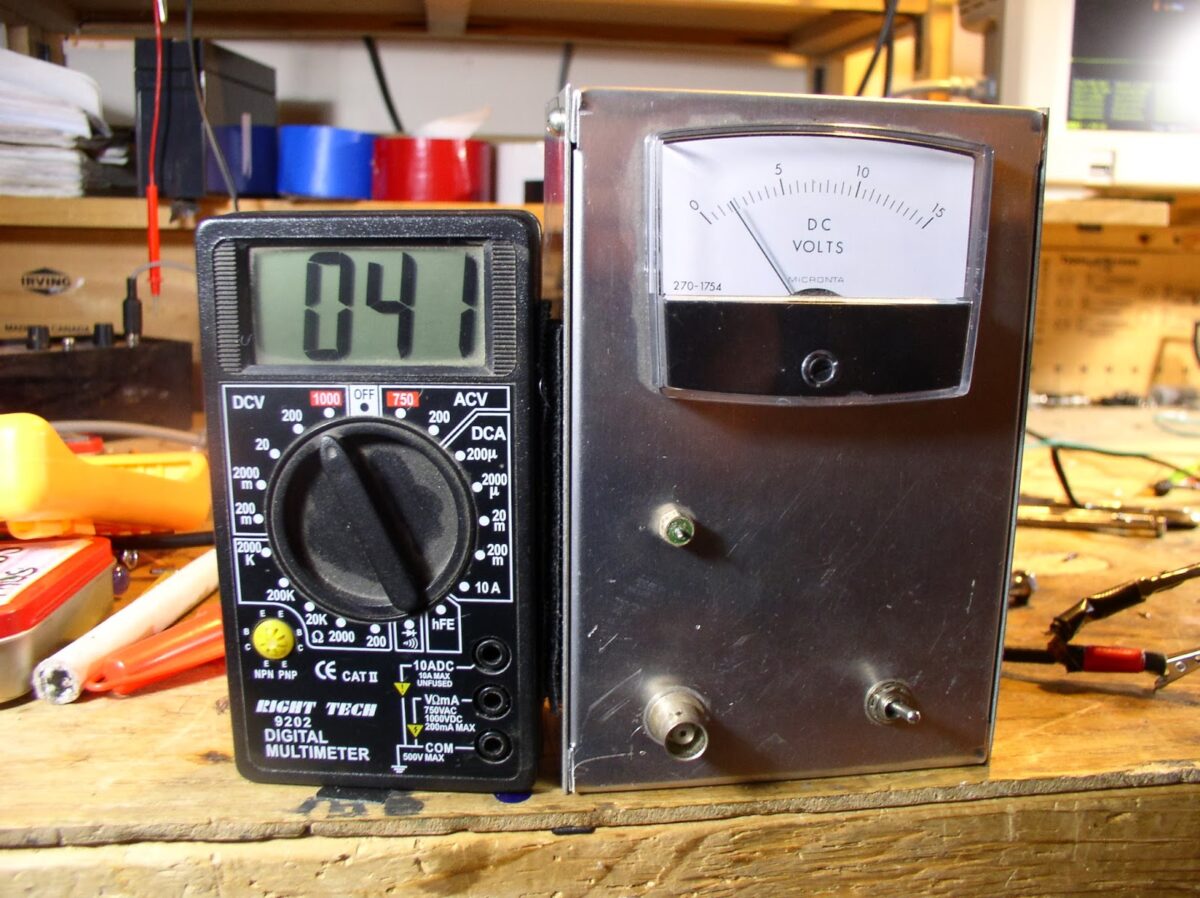
Recent e-mails and Facebook postings from Jim (W8NSA) and Michael (AA1TJ) got me thinking about my old W7ZOI/W7PUA power meter. The 15 inches (38 centimeters) of snow that fell last night gave me the day off — and time to play with this very useful and interesting piece of gear.

The last time I used it I remember thinking that a digital readout would be nice. But I didn’t feel like going back into the world of Arduinos and LCD screens. So I came up with a real Kludge solution: I had cheap little DVM that I wasn’t using, so I just velcroed it to the side of the power meter. That little connector above the BNC is the output for a DVM. I might work on calibration later today.

Wes has some very interesting info follow-up info on the meter on his site: http://w7zoi.net/qststuff.html
I really like the part about how the meter is so sensitive that you can see the thermal noise in the input circuit and can actually measure the strength of signals from your antenna.

I think I might need a low pass filter at the input of the meter. There are strong FM broadcast transmitters in this area (some of you may have listened to them in the background of early episode of the SolderSmoke podcast!). I notice that just bringing my fingers close to the input causes the meter and the DVM readout to swing up. That’s not good.

Our book: “SolderSmoke — Global Adventures in Wireless Electronics” http://soldersmoke.com/book.htm Our coffee mugs, T-Shirts, bumper stickers: http://www.cafepress.com/SolderSmoke Our Book Store: http://astore.amazon.com/contracross-20
BITX20/40 Update #6: 20 Meter Exorcism


The transmitter was working fine on 40, but was horribly unstable on 20. In the past, this kind of thing would really drive me nuts, but experience has made me more patient. I know that “taming the beast” is part of the homebrew process.

I knew that layout was part of the problem: I had significantly less room on the board with this rig than I’d had with the BITX17: the additional bandpass filter and low pass filter, and the associated relays, used up a lot of copper clad real estate. So by the time I built the PA chain, the inputs were too close to the outputs.

The fact that the rig was stable on 40 but not on 20 led me to believe that this was not a problem of insufficient decoupling. Instead, I thought that I was getting additional inductive feedback at the higher frequency.

I noticed that the instability disappeared when I put the 1X scope probe on the input to the first amp in the RF chain (Q14). That was an important clue. Looking closely at the circuit, I realized that the base of Q14 had a long lead (several inches) up to the low pass filter. I had experienced problems with this lead on the BITX 17 project and had cured it with a relay at the low pass filter — this relay took one end of the lead out of the circuit on transmit, preventing it from becoming a little radiator. I used that mod in this rig, and figured that that cured the trouble. Wrong. The other end of that lead was still connected to the input to the RF power chain. It was picking up enough RF to send the PA chain into oscillation.

I put a SECOND relay at the other end of the line. That took it completely out of the circuit. And the instability disappeared. I fired up the rig and worked California on 20. Very satisfying.

Our book: “SolderSmoke — Global Adventures in Wireless Electronics” http://soldersmoke.com/book.htm Our coffee mugs, T-Shirts, bumper stickers: http://www.cafepress.com/SolderSmoke Our Book Store: http://astore.amazon.com/contracross-20
BITX 20/40 Build Update #5: It is ALIVE!

I got the BITX 20/40 on the air this morning. The receiver has been working for a week or so, but as usual it was a bit of a struggle to tame the transmitter. I got up early this morning and started poking and probing. I played with the driver and final coils a bit. I had used the same trifilar toroids that I’d used in the BITX 17, but this rig didn’t seem to like them. So I went with FT-50-37 bifilars — that seemed to work better. That IRF-510 seems to put out about seven watts on 40. (I still need to tame the transmitter on 20). The 40 meter signal looked great on the ‘scopes (RIGOL and Tek!). Shortly before 8 am I worked AD4SY who reported that I was filling his shack with booming audio. Life is good.

Our book: “SolderSmoke — Global Adventures in Wireless Electronics” http://soldersmoke.com/book.htm Our coffee mugs, T-Shirts, bumper stickers: http://www.cafepress.com/SolderSmoke Our Book Store: http://astore.amazon.com/contracross-20
SolderSmoke Podcast #158: BITX 20/40, Farhan’s “Minima”, BITX Bandsweep

SolderSmoke Podcast #158 is available:

http://soldersmoke.com/soldersmoke158.mp3

January 20, 2014
MLK Day. Tough winter. Shack heated by Heathkit.
BITX 20/40 Almost done:
Bandswitching arrangement.
VFO construction using spreadsheets.
2N2222s wired in backwards! (CBE not EBC! Who knew?)
Other amusing building errors.
Crystal filter evaluation — the G3UUR method.
Sweeping a filter with an Arduino DDS.
Building a BITX in LTSpice.
New Rigol ‘scope (now 100 MHz).
Tek 465 REBORN!
QRP HATERS — They are out there!
MAILBAG.
BITX 20/40 dual band bandsweep

Our book: “SolderSmoke — Global Adventures in Wireless Electronics” http://soldersmoke.com/book.htm Our coffee mugs, T-Shirts, bumper stickers: http://www.cafepress.com/SolderSmoke Our Book Store: http://astore.amazon.com/contracross-20
BITX 20/40 BUILD UPDATE #4: 11MHz SSB Ladder Filter

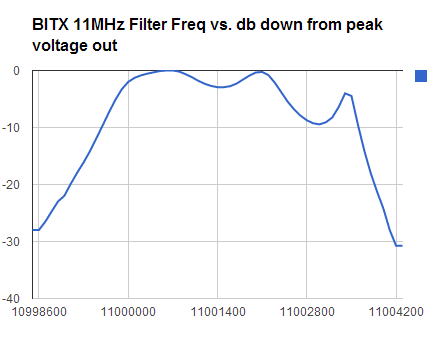
As reported yesterday I have the 20 meter receiver portion of my BITX 20/40 rig up and running. I decided to take a closer look at the crystal filter I built.

Here is my method:

1) Using an Arduino/DDS sig generator, I put 11 Mhz energy into the base of Q2 (the stage immediately prior to the crystal filter).

2) Using my Rigol 1052E oscilloscope, I measured RMS voltage at the output of Q3/Q3A (the stage immediately following the filter).

3) I looked at Vrms as I MANUALLY varied the input frequency in 100 Hz increments.

4) I took the results and plugged them into a spreadsheet. I then used the spreadsheet to calculate the db drop from the peak Vrms value (So I wasn’t looking at insertion loss, just the filter shape).
I used 20*LOG(Vrms/276)

5) I ended up with the chart displayed above.

I have a few questions:
1) What do you folks think about my methodology for evaluating the filter?
2) Where would you guys put the BFO frequency?
3) I know the ripple looks ugly, but the receiver sounds great. Should I attempt to get rid of the ripple?

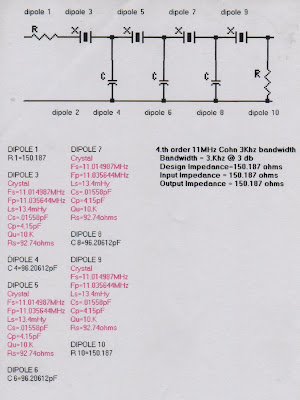
Here is the filter I used (as prescribed by the AADE software): I estimated Q at 10000 and used LM and CM values derived by the G3UUR method, and made no effort to match impedances going into the filter:

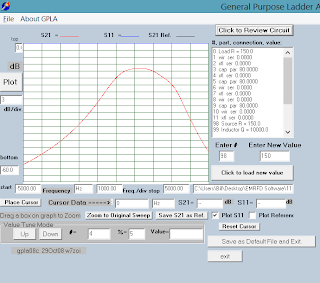
Here is what GPLA predicted. I estimated Rin and Rout values. That probably accounts for the difference between the GPLA prediction and what I measured.

Our book: “SolderSmoke — Global Adventures in Wireless Electronics” http://soldersmoke.com/book.htm Our coffee mugs, T-Shirts, bumper stickers: http://www.cafepress.com/SolderSmoke Our Book Store: http://astore.amazon.com/contracross-20

BITX 2040 Build Update #3 Receiver Sounds Great!

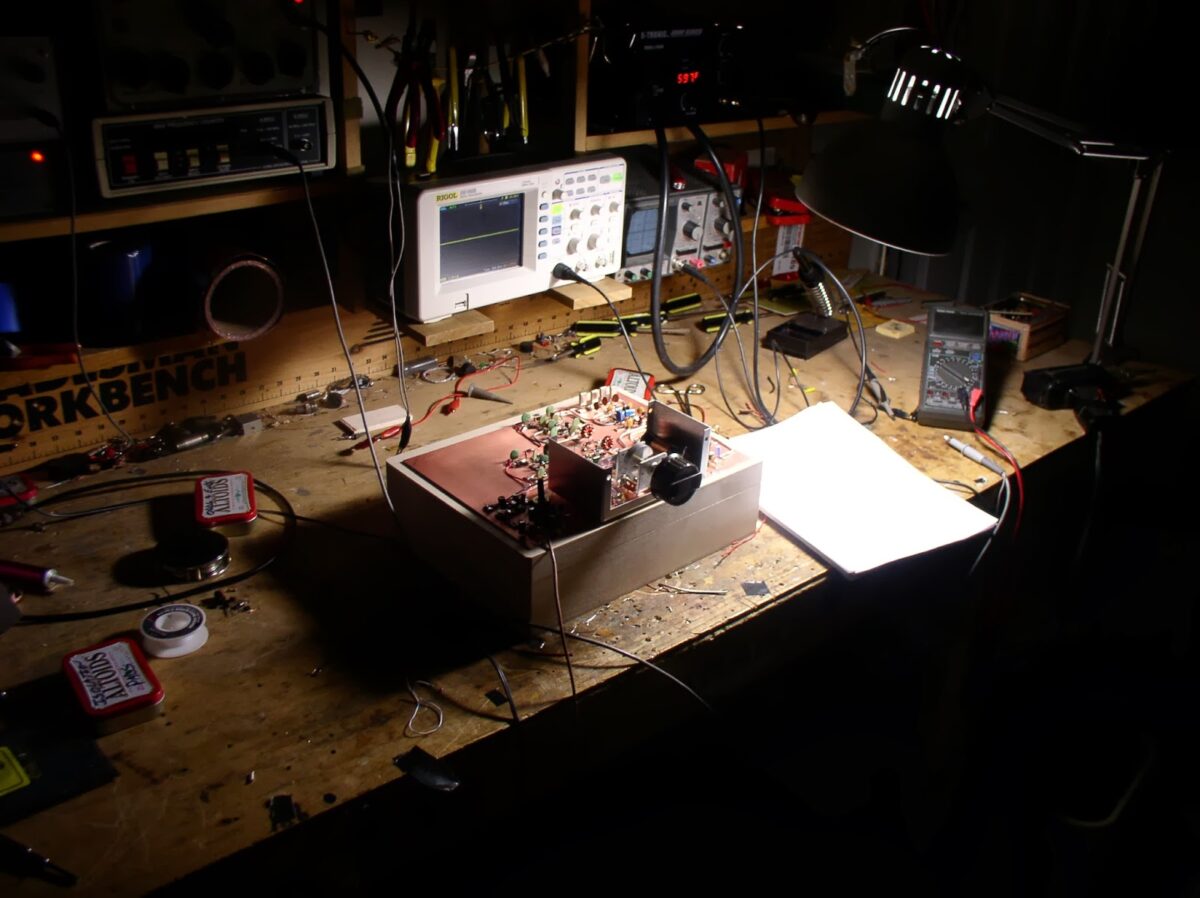
There it is, my second BITX transceiver, this one for 20 and 40. Once I got the VFO sorted out, this one went together very quickly. Obviously experienced gained on the first project was a big help.

I followed Farhan’s advice and characterized the 11 MHz crystals in the filter. Then I used the AADE filter design software to build a 3 KHz filter. Using my Arduino DDS signal generator and the new Rigol ‘scope, I was able to do a manual sweep across the passband — it looked very close to what was predicted by the software.

This morning I built the bandpass filter for 20. As soon as that was done, I fired up the receiver. This was an amazing experience for me: a homebrew receiver that worked right away! That never happened before. I’m listening to 20 meters now. It sounds great. I even managed to demodulate and display some SSTV. The VFO seems very stable.

I still have to build the RF amplifier stages, the bandpass filter for 40 and low pass filters for 20 and 40 (I know Steve Smith is watching!). Then it will be time for cabinetry. I guess I should put some paint or varnish on that walnut box. Any recommendations? I’ll line it (on the inside) with copper flashing material.

Our book: “SolderSmoke — Global Adventures in Wireless Electronics” http://soldersmoke.com/book.htm Our coffee mugs, T-Shirts, bumper stickers: http://www.cafepress.com/SolderSmoke Our Book Store: http://astore.amazon.com/contracross-20